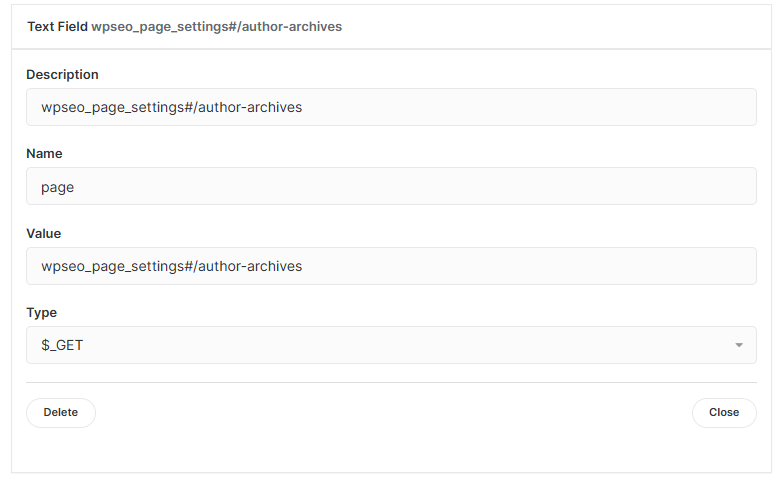
Yoast saves this settings page through a background request, and MainWP Key Maker isn’t capturing the author archive setting from that save.
The key in your screenshot contains only the settings page name. It has no author archive value to apply, which explains why saving it to another site doesn’t change anything.
I’ve confirmed this on my end as well.
Would exporting all your Yoast settings from one site and importing them into another be useful for you, or do you want to change only the author archive setting?
Thanks for clarifying. Unfortunately, Key Maker isn’t capturing this setting from Yoast’s settings page, so we can’t provide a working Bulk Settings Manager key for it.
Yes, it’s possible to use Code Snippets for this. The snippet below targets the author archive setting through Yoast’s own settings method.
We’re providing it as a courtesy so please take a fresh backup and test it on one site first. MainWP cannot take responsibility for any issues resulting from its use.
Open MainWP > Add-ons > Administrative > Code Snippets > New Snippet at /wp-admin/admin.php?page=Extensions-Mainwp-Code-Snippets-Extension&tab=new.
Enter a title, select Return Info, and select only your test site. This runs the snippet once without storing it on the child site.
Paste the following code and click Run Snippet.
(function () {
    if (!class_exists('WPSEO_Options') || !is_callable(array('WPSEO_Options', 'set'))) {
        echo "Skipped. Yoast SEO is not active or its settings API is unavailable.\n";
        return;
    }

    $settings = get_option('wpseo_titles');

    if (!is_array($settings) || !array_key_exists('disable-author', $settings) || !is_bool($settings['disable-author'])) {
        echo "Skipped. The expected Yoast author archive setting was not found.\n";
        return;
    }

    if ($settings['disable-author'] === true) {
        echo "No change. Author archives are already disabled.\n";
        return;
    }

    WPSEO_Options::set('disable-author', true, 'wpseo_titles');

    $saved = get_option('wpseo_titles');

    if (is_array($saved) && isset($saved['disable-author']) && $saved['disable-author'] === true) {
        echo "Success. Yoast author archives are disabled.\n";
    } else {
        echo "Failed. The setting could not be verified. Check Yoast settings manually.\n";
    }
})();
After running it, reload Yoast’s author archive settings and confirm that author archives are disabled and your other settings remain as expected before applying it to additional sites.
WordPress® is a registered trademark of the WordPress Foundation, and WooCommerce® is a registered trademark of WooCommerce, Inc. MainWP is an independent product and is not affiliated, associated, or endorsed by the WordPress Foundation, WooCommerce, Inc., or Automattic Inc., except where noted under the Jetpack® API and Trademark License Agreement. All product names, logos, and brands are property of their respective owners and are used for identification purposes only.