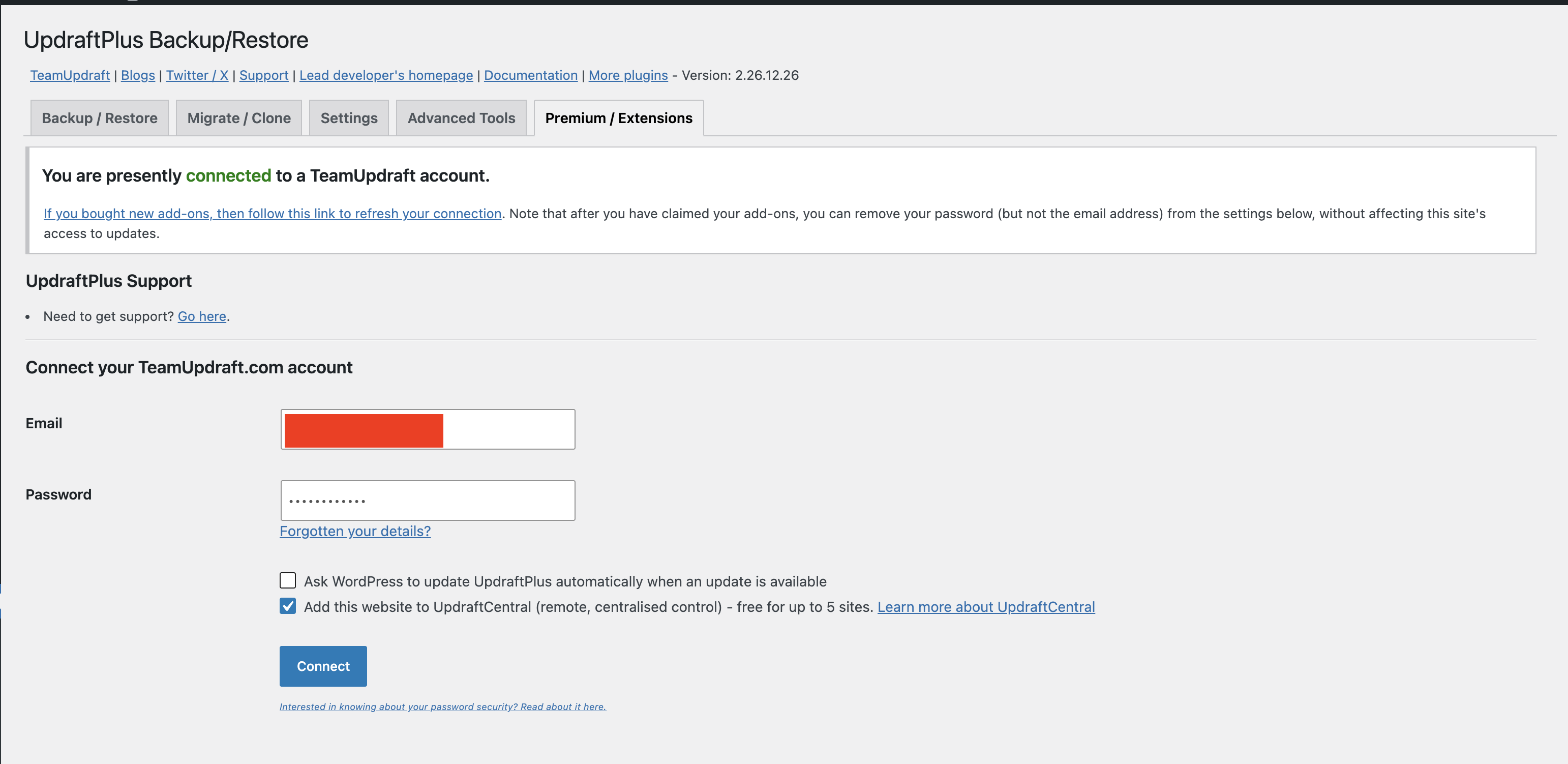
Following the UpdraftPlus hack of their Saas central app, we need to change the credentials on more than 230 sites! I was looking to use the Bulk settings extension with the Key Maker but, I can’t find any videos on how to do it and to be honest, the documentation here: Bulk Settings Manager - MainWP Documentation is not clear… I am kind of lost… Any video will be helpful.
With MainWP Key Maker installed on one site, configure and save the settings you want to copy. Then open Key Maker and copy the Post-submission Request key.
Import that key into Bulk Settings Manager on your MainWP Dashboard, review the captured settings, and save the key.
Select the child sites you want to update and apply the saved key to them.
The guide has practical examples near the bottom, and one of the examples has a video.
There is one limitation though. The Key Maker relies on standard form submissions.
If the settings page saves changes in the background using JavaScript/AJAX, Key Maker may not capture them correctly.
Which credential fields do you need to update, and which plugin/settings page are they on?
We can test that page with Key Maker ourselves and also check whether a snippet through MainWP Code Snippets could be an alternative.
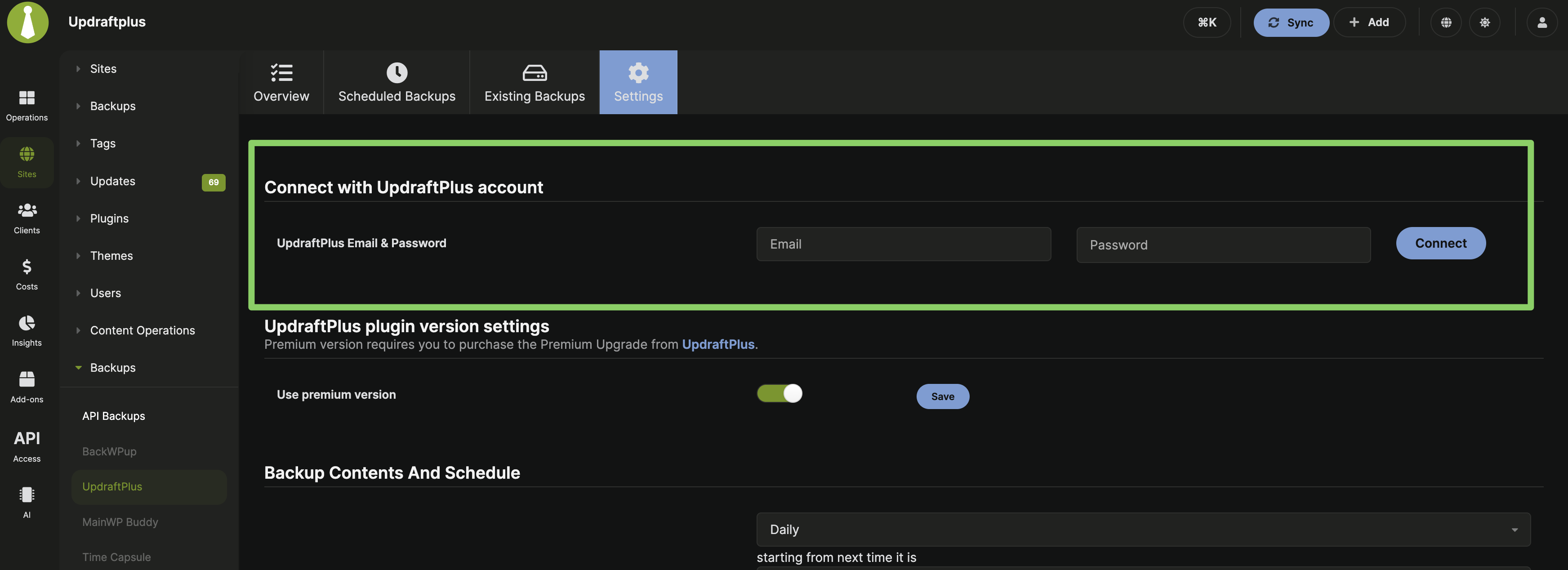
Thanks, that clears it up. Our free MainWP UpdraftPlus Add-on should help here. It has a Connect with UpdraftPlus account option where you can enter your new TeamUpdraft credentials and reconnect your sites from MainWP.
The account connection is separate from the backup settings, so clicking Connect won’t apply the Add-on’s backup configuration over what you already have on each site. Just avoid Save Changes at the bottom of the backup settings form.
I’d try reconnecting one site first.
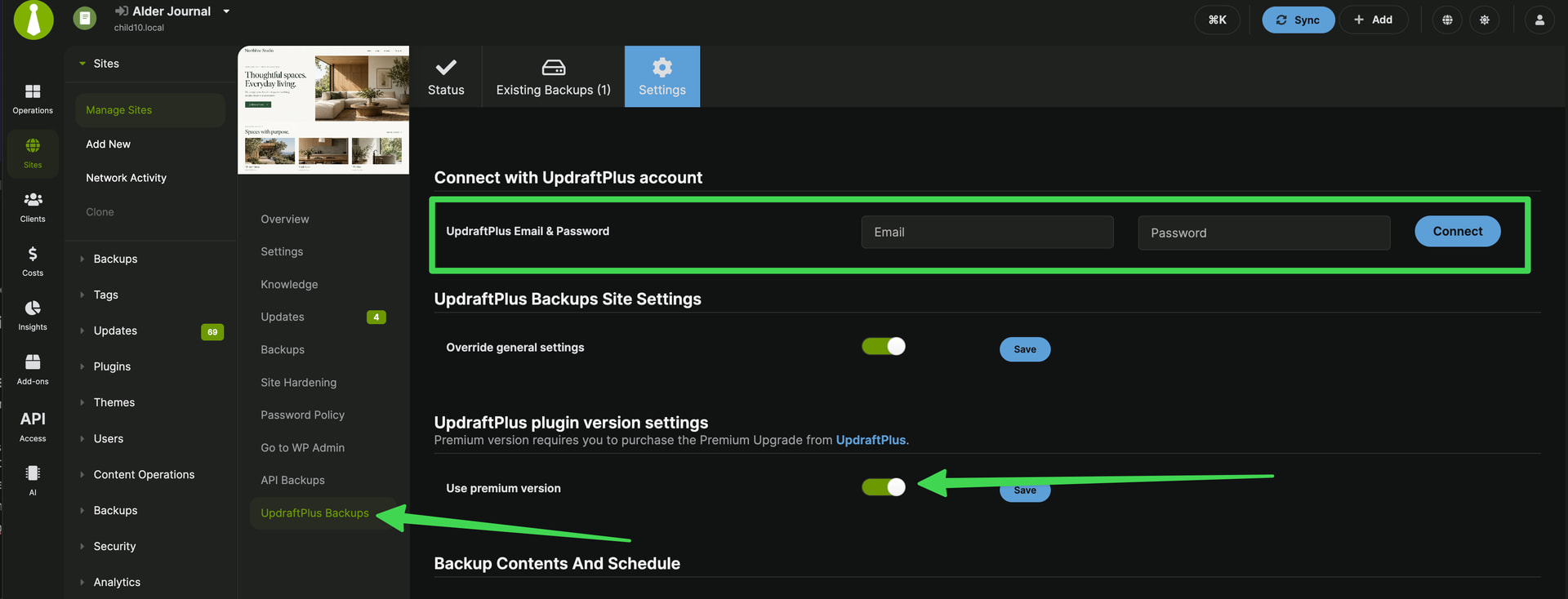
After installing the Add-on on your MainWP Dashboard, go to Sites → Manage Sites , click Updraftplus Backup/Restore under that site, and open Settings (/wp-admin/admin.php?page=ManageSitesUpdraftplus&id=SITE_ID&tab=settings ).
You’ll find the account connection there. If it isn’t visible, enable Use premium version and click the small Save beside that toggle.
Enter the new credentials and click Connect , then check that the account reconnects and the existing backup settings remain unchanged. Once that checks out, you can use the bulk connection for the rest of your sites.
WordPress® is a registered trademark of the WordPress Foundation, and WooCommerce® is a registered trademark of WooCommerce, Inc. MainWP is an independent product and is not affiliated, associated, or endorsed by the WordPress Foundation, WooCommerce, Inc., or Automattic Inc., except where noted under the Jetpack® API and Trademark License Agreement. All product names, logos, and brands are property of their respective owners and are used for identification purposes only.