Any way to modify Sites Check alerts globally?

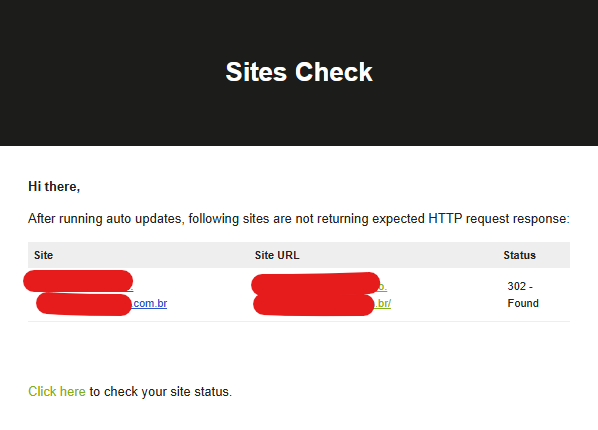
Hi team, I am getting this alet everyday because one of my sites redirects front page to another page, the http code answer is 302 instead of 200.

Please there is any way to include 302 as an valid http code, or disable the sites check globally on MainWP?

Thanks a lot and regards

Hey @ivancarlos

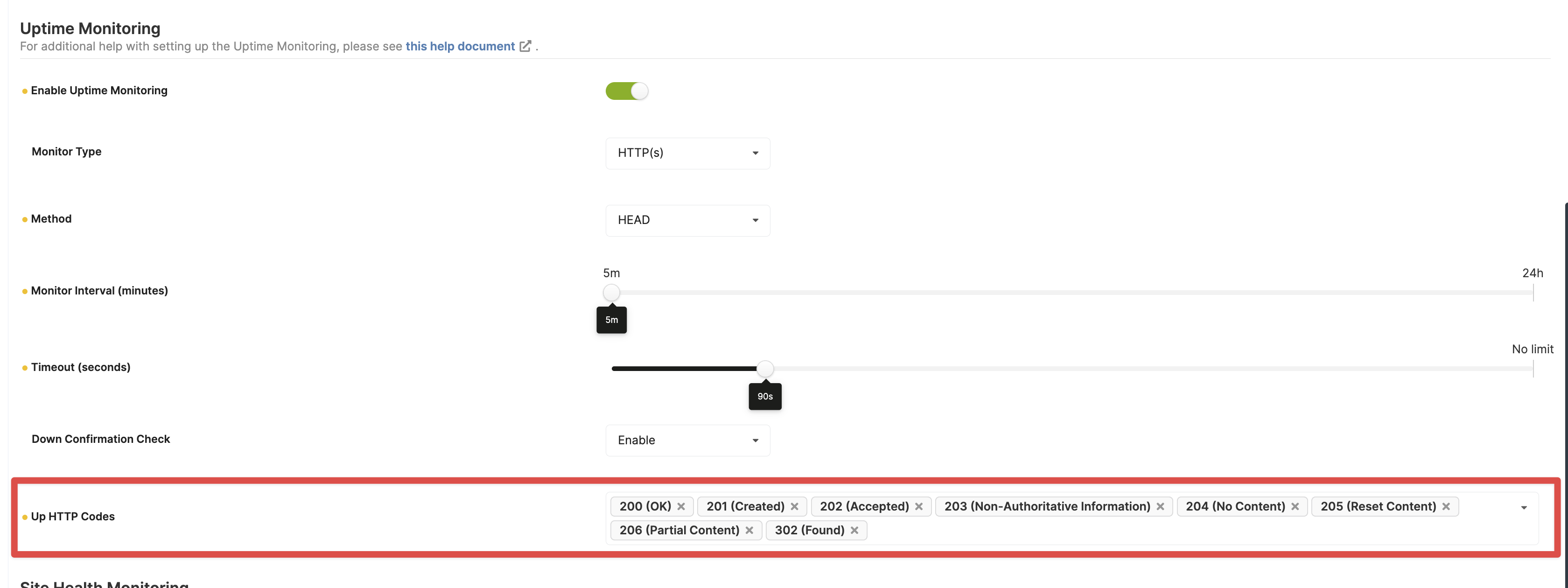
If you are using Uptime Monitoring, you can exclude the 302 status code as these exclusions are shared between HTTP Response Checks and Uptime Monitoring.

Yes, you can disable HTTP Response Check globally on the Settings page (/wp-admin/admin.php?page=Settings).

Another option would be to remove that child site and re-add it using the redirected URL. So if the child-site.com redirects to child-site.com/store/, you would use child-site.com/store/ to add the site.

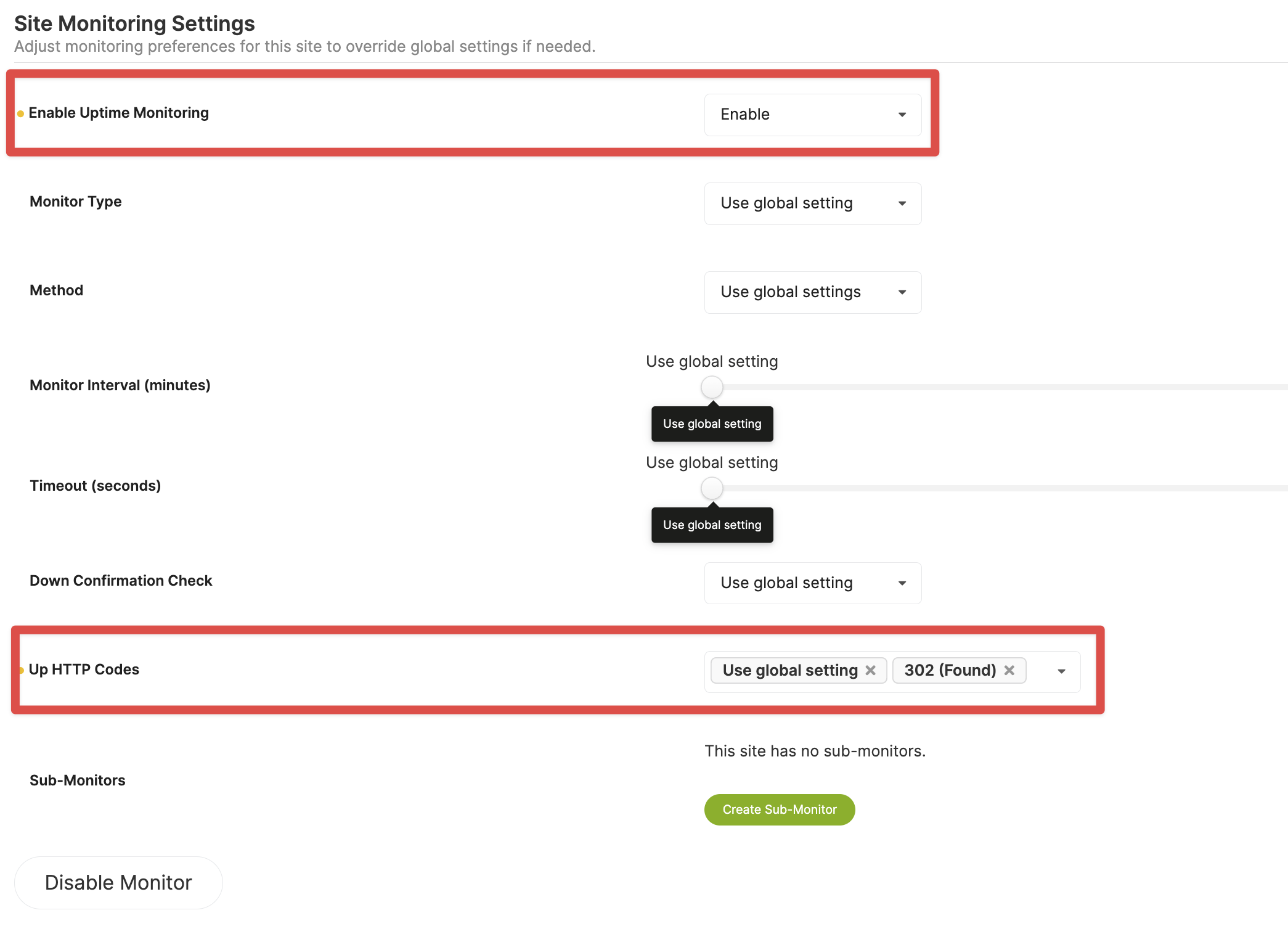
The funny part is that the site settings follow globnal setting:

And global setting have it disabled o.o

The http code is available to select only if I enable uptime monitoring on global settings, for some reason site settings is not following global settings :thinking:


To enable Monitoring just for this site, select Enable under the Enable Uptime Monitoring dropdown in the Child Site’s Settings.

Then add 302 as Up HTTP Code.

Alternatively, as I mentioned earlier, you can re-add the redirected Child Site’s URL or disable the HTTP Response Check globally.

But the global settings have monitoring DISABLED, and child site configured to follow global settings, the problem is that even with this setup the monitoring is not disabled, the child site is not following global settings even when configured as this. :confused:

@ivancarlos

I believe you are conflating two separate features - HTTP Response Checks and Uptime Monitoring.

They share the same Up HTTP Codes, but they are separate features.

The email from your screenshot is showing a notification sent by the HTTP Response Check feature. Not Uptime Monitoring.

We will be reworking this section of the UI to make things clearer.

As I mentioned earlier, you can disable HTTP Response Check globally on the Settings page (/wp-admin/admin.php?page=Settings).

This topic was automatically closed 2 days after the last reply. New replies are no longer allowed.