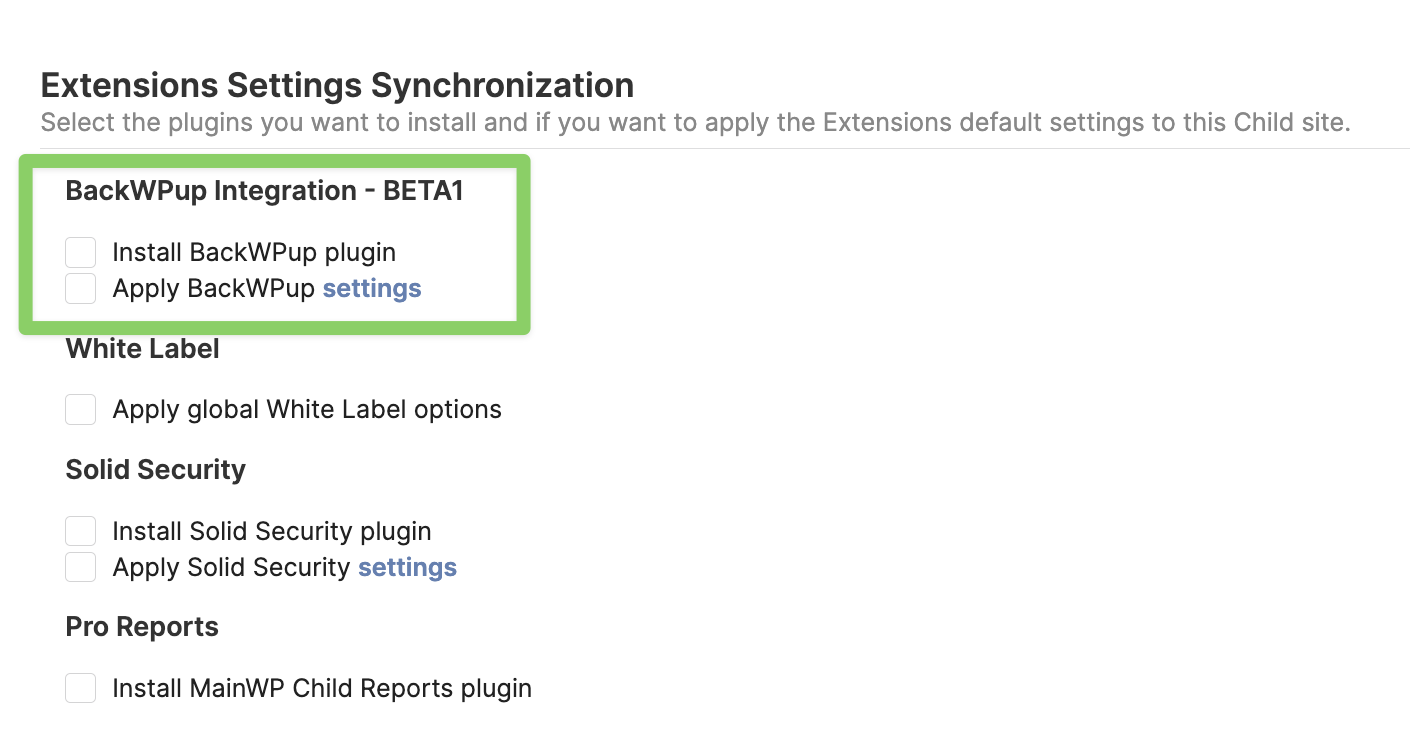
When adding a new website to the BackWPup add-on, the plugin does not automatically apply the global rules previously configured in the BackWPup add-on → Settings → Log Settings / Log Notification.
Am I missing something, or is this how it’s supposed to work? Because if so, perhaps it would be better if, when adding the new site to the previously configured global backup used by the other sites, the log settings / notifications were also automatically applied along with the scheduled backup task.
As it stands now, I have found that when adding a new website to MainWP’s global backup pool, error log notifications end up going to the website administrator’s email, instead of going to the email address we have configured in the BackWPup add-on in → Settings → Logs Notification. The same thing happens with the location of the logs, which does not respect the configuration in the add-on.
The solution to this is to go to the website in question and configure it manually. But it would be useful if everything could be done in one step from the MainWP console.
When I add a child site, and under “Extensions Settings Synchronization”, I select “Install BackWPUp plugin” and “Apply BackWPup settings”, the settings on the BackWPup add-on → Settings → Log Settings / Log Notification page, do get applied correctly to the newly added child site.
Versions are: MainWP Child 5.4.0.15 / BackWPup 5.5.2 However, this particular site was already on MainWP, but I added it to the backup group afterwards. Is this situation covered in any way?
For child sites that are already on the MainWP Dashboard, once you install the BackWPUp plugin, you first need to sync the site so the Dashboard is aware of the newly installed plugin.
And then, if you want to apply the BackWPUp add-on settings, you need to navigate to the Settings page of the add-on and manually save the settings.
After you do so, the values on the Settings → Log Settings page should transfer over to the child site.
Okay, I understand. This will need to be part of the routine when adding a site to the backup group, then.
Thanks
WordPress® is a registered trademark of the WordPress Foundation, and WooCommerce® is a registered trademark of WooCommerce, Inc. MainWP is an independent product and is not affiliated, associated, or endorsed by the WordPress Foundation, WooCommerce, Inc., or Automattic Inc., except where noted under the Jetpack® API and Trademark License Agreement. All product names, logos, and brands are property of their respective owners and are used for identification purposes only.