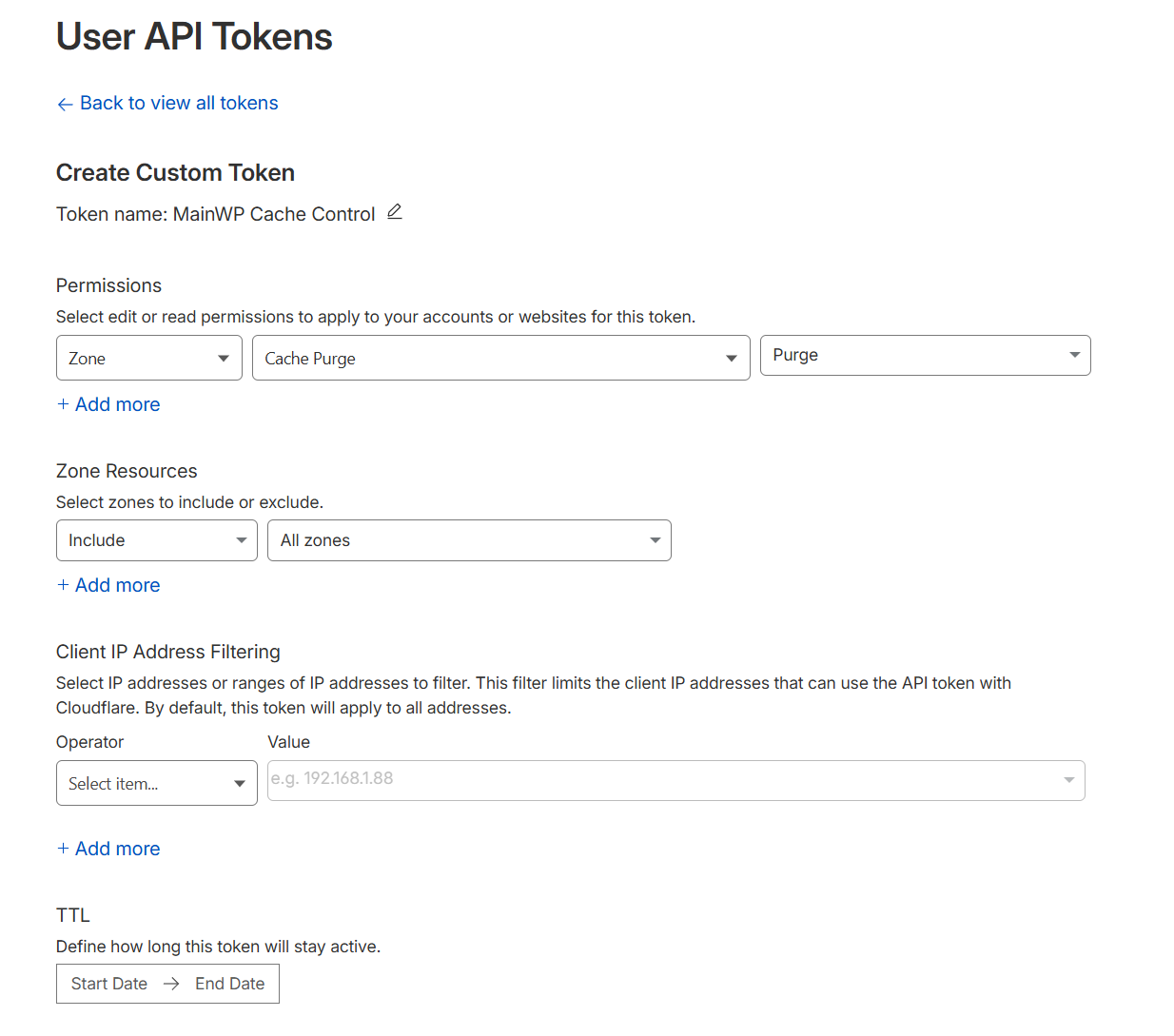
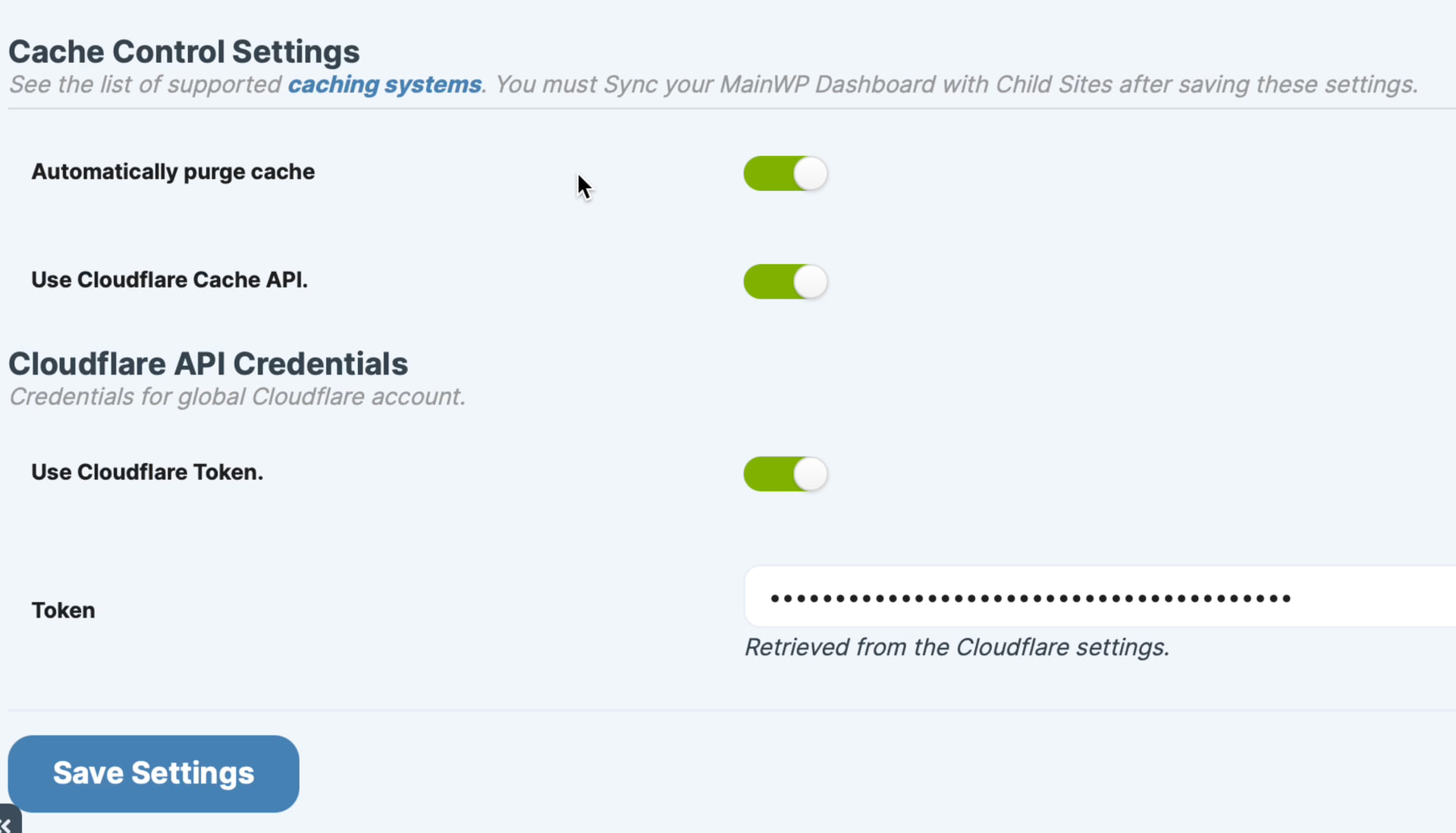
Using my Cloudflare Global API key the Cache Control works fine. When I define what I think are appropriate permissions for the key I get the following error in the cache modal on any site that do not have Cloudflare proxy enabled (all of domains DNS are on Cloudflare though).
( Cloudflare ) Error Purging Cache. Please check the log page for more info.
On the log page for the site in question it says:
| Disabled | Plugin Not Found
Cloudflare | 16 minutes ago | 1 | Cloudflare => Cache auto cleared on: (2025-10-22 09:31:12)
What permissions do I need so the Cache Control plugin knows not to try to clear the cache of a domain on Cloudflare that does not actual have proxy enabled?
API key permissions cannot be used to exclude specific domains/sites from processing.
Right now, our Cloudflare cache call doesn’t skip zones that aren’t proxied; it attempts a purge on everything you selected. That’s why you’re seeing the purge error on domains with proxy off.
This is something we will address in a future MainWP Child plugin release.
Required API key permissions for general usage:
Zone: Read
Cache Purge: Purge
Okay… when I use the Global API key that has full permissions to everything the error doesn’t happen though (( Cloudflare ) Error Purging Cache. Please check the log page for more info.)
I’ll just leave the tight permissions as is for now on the API key since it is something you will be addressing in the future and since it is not really hurting anything since those sites don’t have a Cloudflare cache to clear. I do wonder why the api key with all permissions doesn’t produce the error though.
Just an update… a different error started happening on all sites even those with Cloudflare proxy enabled. I am using the 2 permissions you gave. This error has happened previously. I am not sure why.
This is what shows in the logs for sites that have Cloudflare proxy enabled:
Nginx Helper => Cache auto cleared on: (2025-10-27 08:35:10)
Cloudflare => There was an issue purging the cache. {“code”:6003,“message”:“Invalid request headers”,“error_chain”:[{“code”:6103,“message”:“Invalid format for X-Auth-Key header”}]}-{“code”:7003,“message”:“Could not route to /client/v4/zones/purge_cache, perhaps your object identifier is invalid?”}
If I switch to the global API key that has permissions for everything it works fine.
I have since deleted the old token I created with the permissions and created a new one with the same permissions and the error is still happening.
WordPress® is a registered trademark of the WordPress Foundation, and WooCommerce® is a registered trademark of WooCommerce, Inc. MainWP is an independent product and is not affiliated, associated, or endorsed by the WordPress Foundation, WooCommerce, Inc., or Automattic Inc., except where noted under the Jetpack® API and Trademark License Agreement. All product names, logos, and brands are property of their respective owners and are used for identification purposes only.