Hi, I want to view the settings in my child sites, without changing them. Can I do this via the Bulk Settings Manager?
Thanks
Hi, I want to view the settings in my child sites, without changing them. Can I do this via the Bulk Settings Manager?
Thanks
Hey @clgm
Bulk Settings Manager is basically one-way. It’s designed to send a set of captured settings/values to child sites. It doesn’t read or pull back the current settings from each child site, so there isn’t a built-in “view child site settings (read-only)” option in Bulk Settings Manager.
The only workaround I can think of is the Code Snippets extension, but it’s not very user-friendly.
You’d need to write a custom snippet that reads the plugin’s settings from the child site database. That means you’d have to figure out where that plugin stores its options (sometimes it’s wp_options, but it can also be custom tables, custom post types, serialized data, etc.).
Then you’d run that snippet across your child sites and have it return the values back to the MainWP Dashboard.
So it’s technically possible, but it requires you to do all the heavy lifting of mapping the plugin’s settings to database values, which quickly turns into a pretty big “dataset” if you’re trying to audit a lot of settings.
Hi @bojan thanks for your reply. I will have a go with Code Snippets. If I succeed, I’ll post the code here for others to use 
Hi @bojan in this case, I want to get a list of the Administration Email Address of child sites. So it’s not a plugin. It’s the contents of the admin_email field in the wp_options table.
The SQL query would be
SELECT option_value FROM `wp_options` WHERE option_name='admin_email'
I tried this code snippet
global $admin_email; $admin_email->query( " SELECT option_value FROM `wp_options` WHERE option_name='admin_email' "); echo $admin_email;
and received this error: “MainWP Child plugin not detected or could not be reached! Ensure the MainWP Child plugin is installed and activated on the child site, and there are no security rules blocking requests.”
The child site has the MainWP Child plugin installed and activated. Does that mean that there are security rules blocking the request? The child site is hosted on WP Engine. I tried adding the following MainWP user-agent to the WPE allowlist
Mozilla/5.0 (compatible; MainWP/6.0.1; +http://mainwp.com)
but got the same error.
Or is there an error in the snippet?
Hi @clgm
If you mean the WordPress setting from Settings > General > Administration Email Address, use:
echo get_option(‘admin_email’);
Snippet type should be Return info from Child Sites.
And for a nicer formatting which includes the site name and URL, you can use:
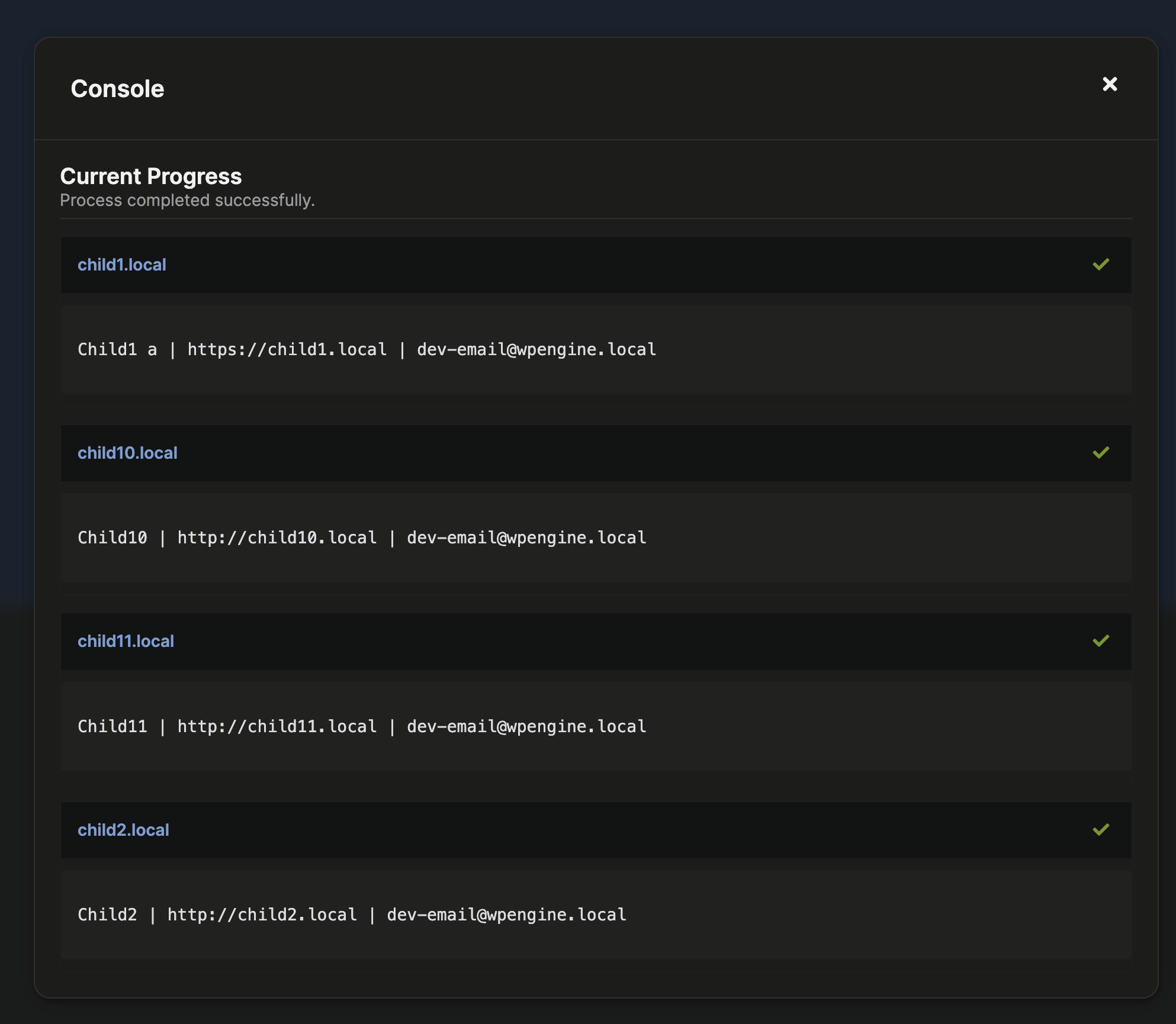
echo get_bloginfo(‘name’) . ’ | ’ . home_url() . ’ | ’ . get_option(‘admin_email’);
Thanks @bojan.
For
echo get_option(‘admin_email’);
I got nothing, and for
echo get_bloginfo(‘name’) . ’ | ’ . home_url() . ’ | ’ . get_option(‘admin_email’);
I got
??h}utw{//ay{tg.somoc}???s’
What do I need to change, pls?
You need to connect to the database, so try this:
global $wpdb;
echo get_option('admin_email');
And make sure you don’t use curly quotes…