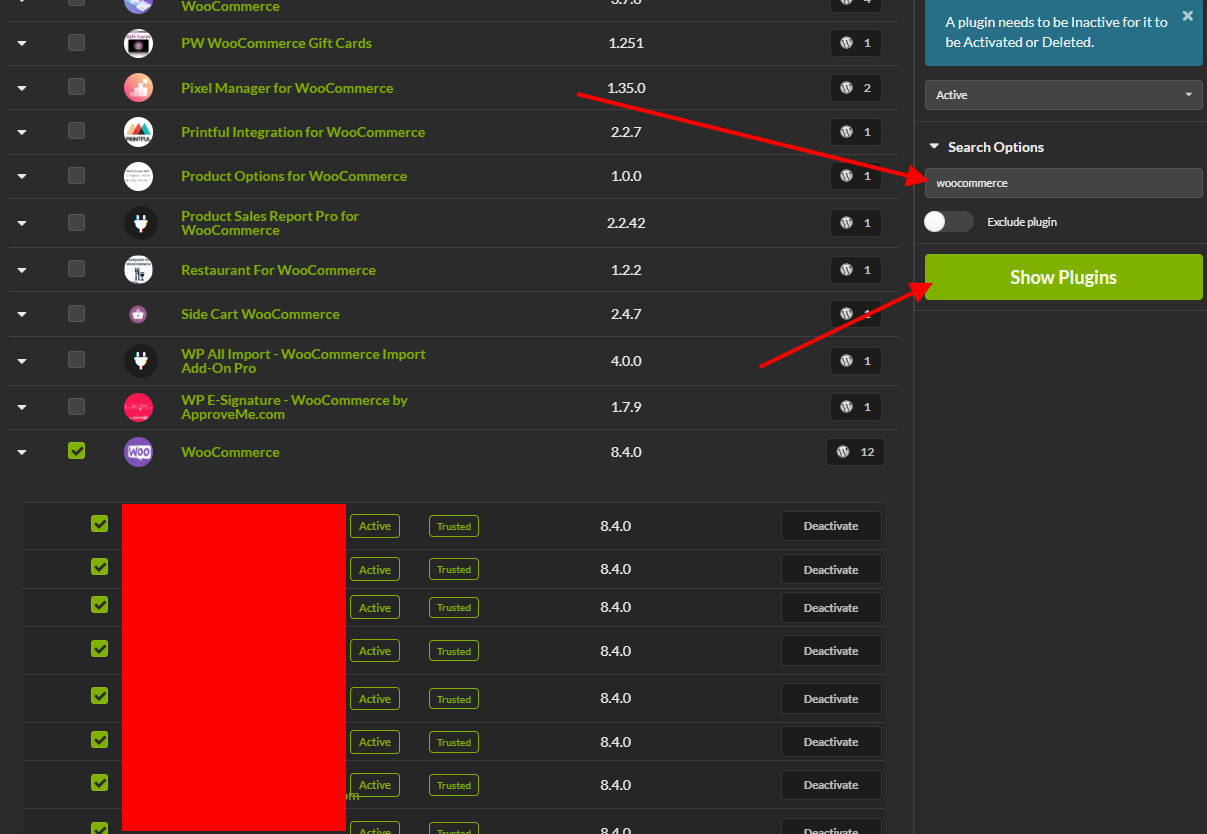
I am looking for a way to be able to filter all of my child sites and only show those that have a specific plugin installed. In this example, I am looking for all sites that run woocommerce. My goal is to add a tag to all of those sites.
Currently, I can almost get there.
I run a search for woocommerce on /wp-admin/admin.php?page=PluginsManage
I can see a list of 12 sites that have the plugin installed but get stuck after that.
We have a tutorial video about our Tags Page that’s part of our Coach Series:
In that video, in the last chapter at 2m:27s, we show this exact example which is creating a Tag for sites that have a certain plugin installed.
You were rather close already and were just missing the last few steps, which include clicking on the Install to Selected Site(s) button.
That will lead you to the Install Plugins page, where the desired sites will be pre-selected in the sidebar and where you will be able to create a Tag for those sites.
WordPress® is a registered trademark of the WordPress Foundation, and WooCommerce® is a registered trademark of WooCommerce, Inc. MainWP is an independent product and is not affiliated, associated, or endorsed by the WordPress Foundation, WooCommerce, Inc., or Automattic Inc., except where noted under the Jetpack® API and Trademark License Agreement. All product names, logos, and brands are property of their respective owners and are used for identification purposes only.