I initially had the Google Analytics v5 installed using the json method to connect a few sites. It was a pain to deal with so I had deactivated the plugin for the past year or so.
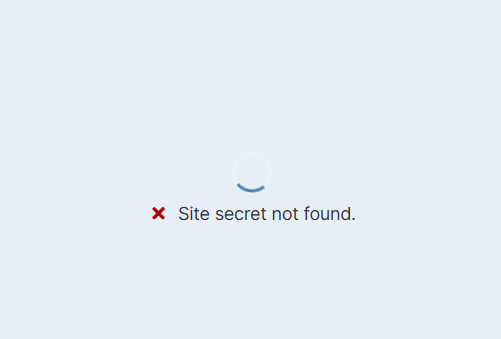
With MainWP v6 the add-on became easier to use with the Sign In With Google option. Unfortunately when I click the button it spins for a second or so and I then get the error message “Site secret not found.”. I have not connected an account yet but I get this message.
I have no accounts listed under Manage Accounts. How do I fix this problem?
That error message can show if the function getmypid is disabled on the MainWP Dashboard site.
You can verify that with the hosting support.
If it is, please ask them to enable it on your site. Almost all hosts are happy to do it.
If, unfortunately, they cannot enable it due to some limitations, then the OAuth method cannot be used on your Dashboard and you will instead need to use the JSON import method.
The function is required by the Google Library we use in the add-on for OAuth.
MainWP System Info shows no functions disabled. I double checked with my host and they said getmypid isn’t disabled either.
I did try deactivating and deleting the plugin and reinstalling it again and that didn’t fix it. I had wondered if there was settings from before causing issues as when I activated the addon again it didn’t show my old json connection but did show a dropdown of the 2 sites I had connected (but no info on their pages)
Just incase others come across this issue. I had Basic Authentication enabled for the website. Disabling this allowed me to connect the accounts I needed. I then re-enabled Basic Auth.
WordPress® is a registered trademark of the WordPress Foundation, and WooCommerce® is a registered trademark of WooCommerce, Inc. MainWP is an independent product and is not affiliated, associated, or endorsed by the WordPress Foundation, WooCommerce, Inc., or Automattic Inc., except where noted under the Jetpack® API and Trademark License Agreement. All product names, logos, and brands are property of their respective owners and are used for identification purposes only.