Find another UX issue, when you scroll, the header of the table is not sticky and sometimes, will all numbers, you don’t know if it is performance or seo… It will be nice to have it sticky. And this will be helpful for all tables in MainWP BTW.
I’ve just used this for the first time.
Great extension - very useful.
A couple of typos in the Settings tab:
Should this read Lighthouse not Lightspeed?
thanks for the suggestion. I have been trying to handle this requirement, but at this point, sticky header doesn’t get along with the xScroll feature. In all my attempts the sticky header works well as long as there is no xScroll but when it’s there, the table header gets totally misaligned with columns.
Regarding your other suggestion, it’s implemented and set for the next update.
hi @bogdan,
Thanks for the update but how we get the Beta 2?
Went to the plugins section, click on check for updates now and nothing…
Maybe not push yet?
Thanks, Fred
I found that the results of the mobile audit at Cumulative Layout Shift with a value between 0.1-0.2 are missing the icon to the left of the tilt. I investigated and I think the class-mainwp-lighthouse-utility.php: 334 line of code should be written like this:
} elseif ( $value > 0.1 && $value <= 2.5 ) {
And I tried to make the navigation between the score and the audit results a little easier. This script, for Custom Dashboard / JS, makes it possible to automatically scroll the audit results when clicking on the score.
A little remark. Possibly for those who have added more to the “DOMContentLoaded” event, it would be better to group the subscriptions to the event in a single function, I mean:
I wrote the identification of the sticky position and the calculation of the offset depending on it.
For other cases, write a desired offset value for “desiredOffset”.
Also if you want to adjust the scroll position, whether the header is sticky or other circumstances, add a value other than null, as you like for “desiredOffset”.
Hi @bogdan,
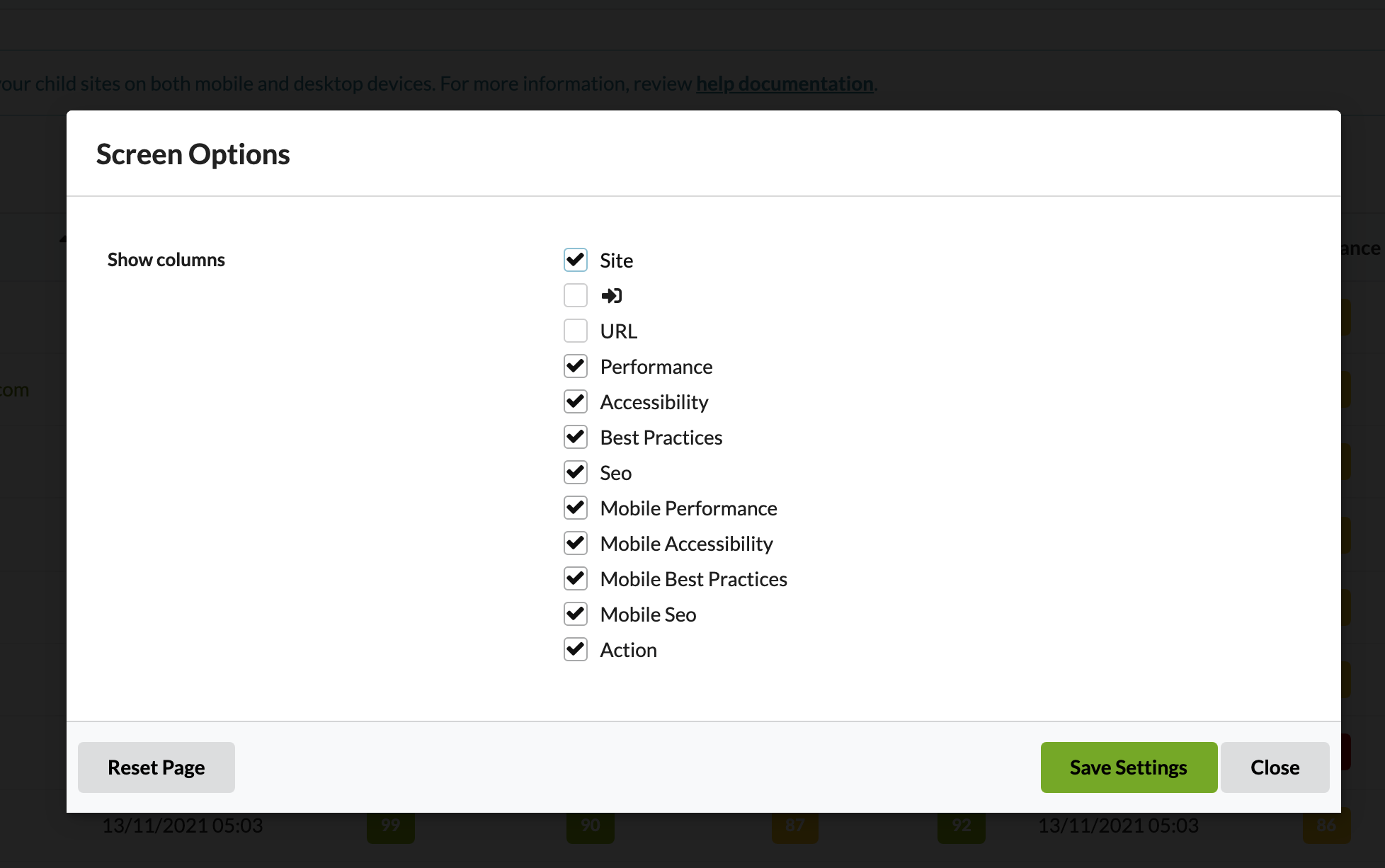
It broke the column setting functionality! Every time I click on the icon to change the column display, it opens a new window, no option! I cleared cache (browser, not server since we don’t have any for MainWP), reload, same error…
WordPress® is a registered trademark of the WordPress Foundation, and WooCommerce® is a registered trademark of WooCommerce, Inc. MainWP is an independent product and is not affiliated, associated, or endorsed by the WordPress Foundation, WooCommerce, Inc., or Automattic Inc., except where noted under the Jetpack® API and Trademark License Agreement. All product names, logos, and brands are property of their respective owners and are used for identification purposes only.
 And this will be helpful for all tables in MainWP BTW.