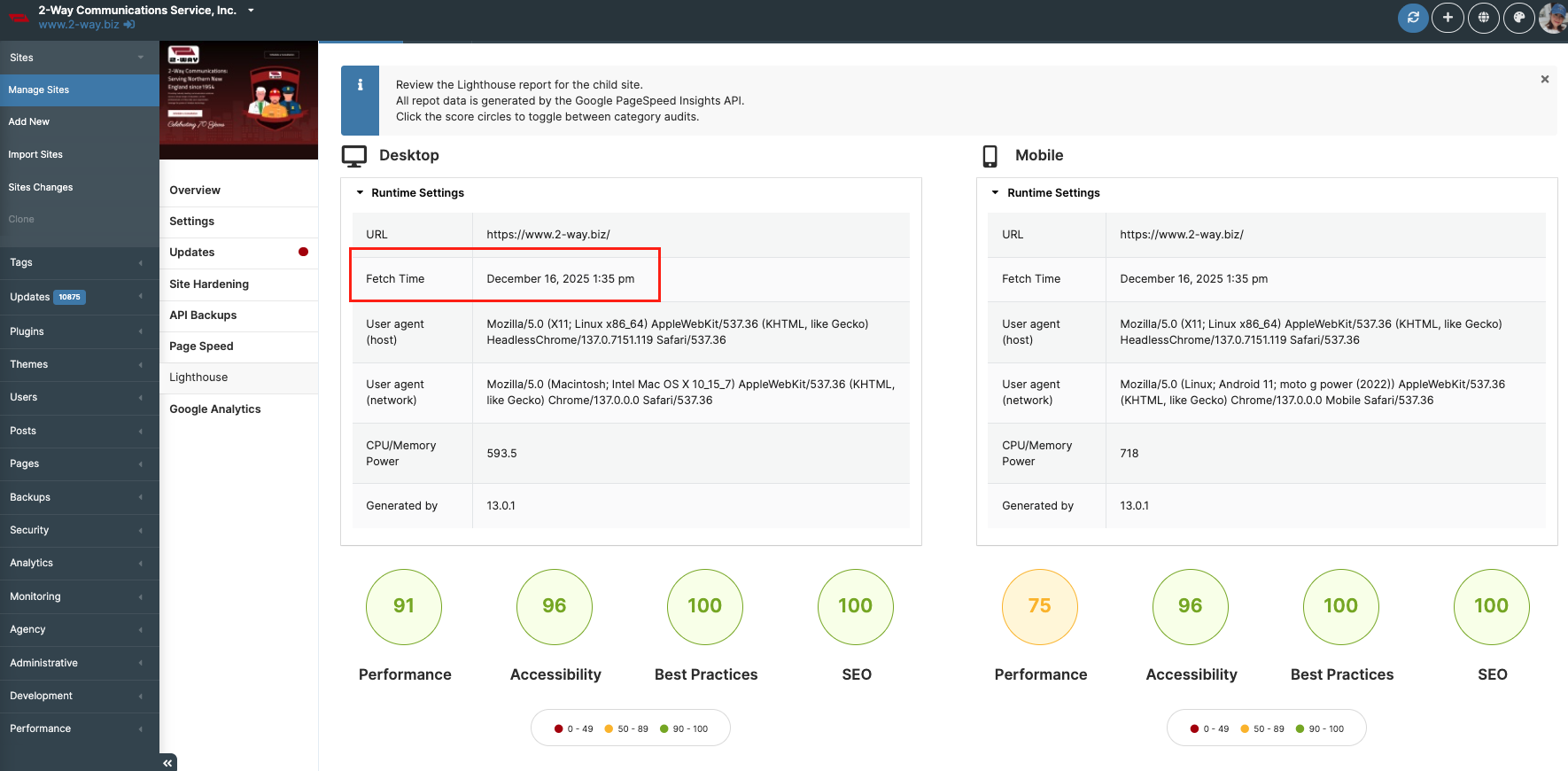
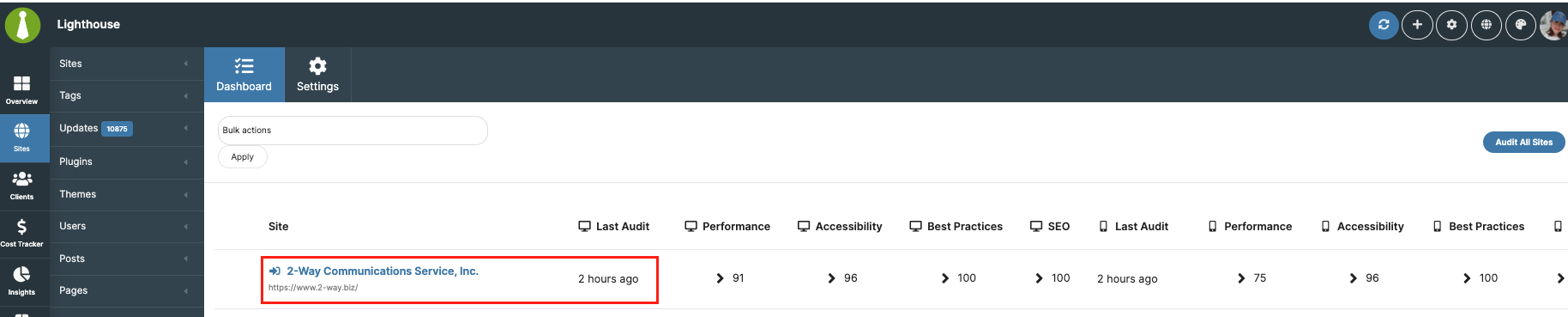
Hi MainWP Support Team,
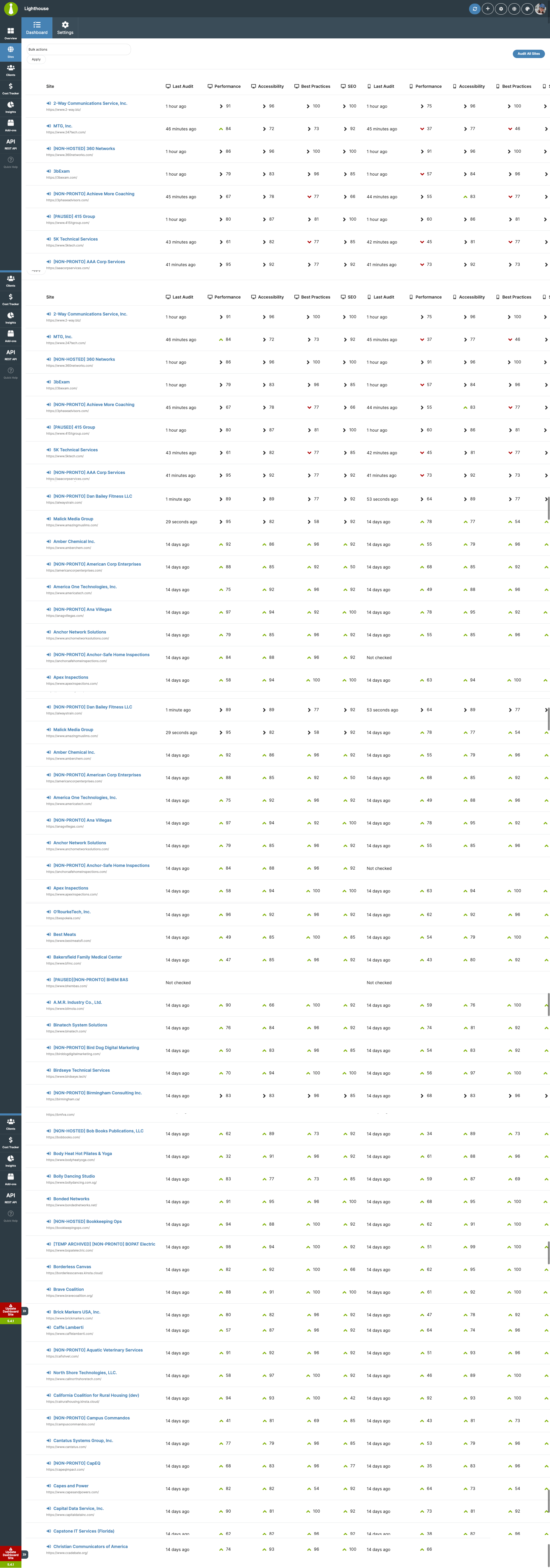
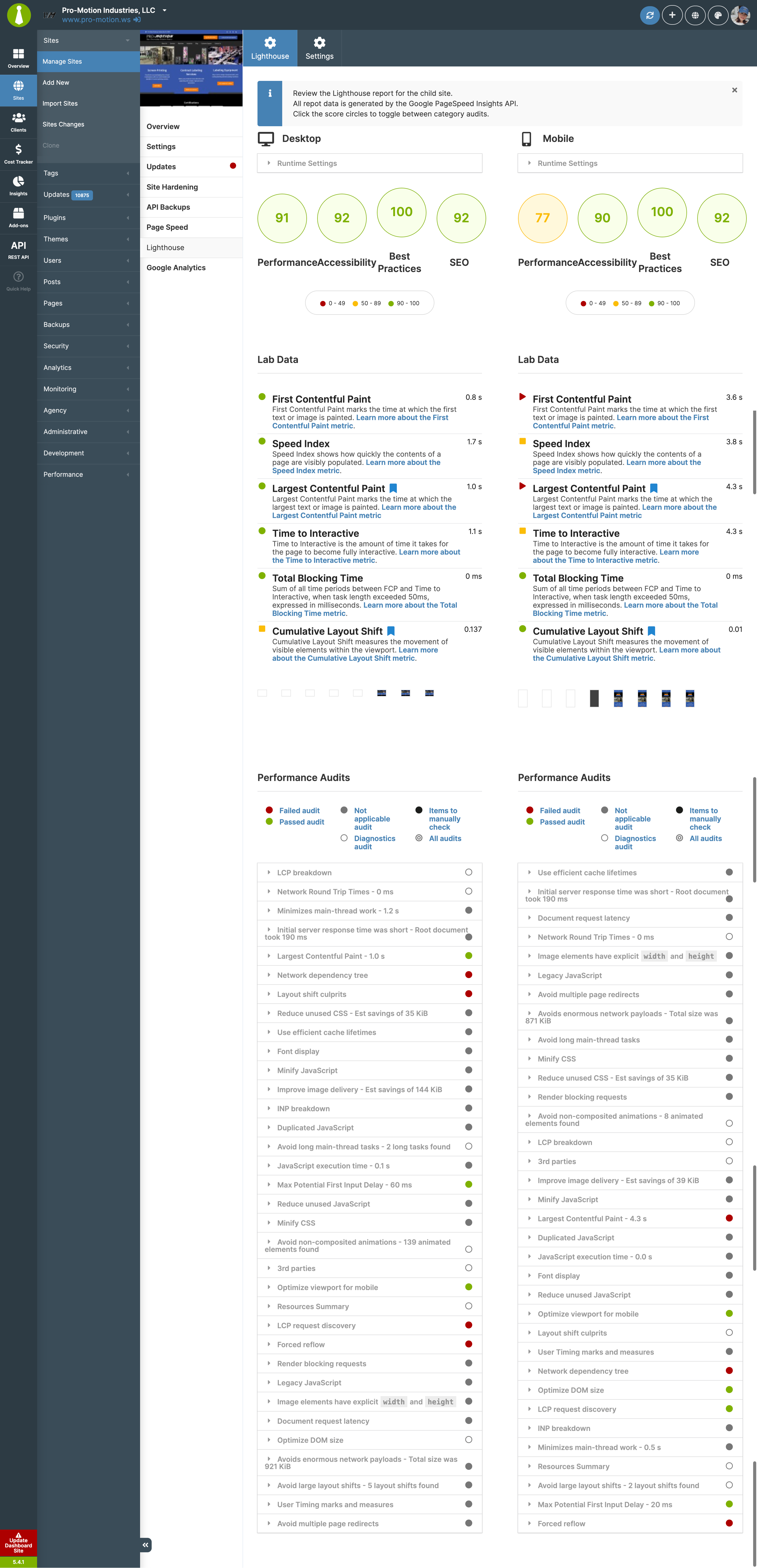
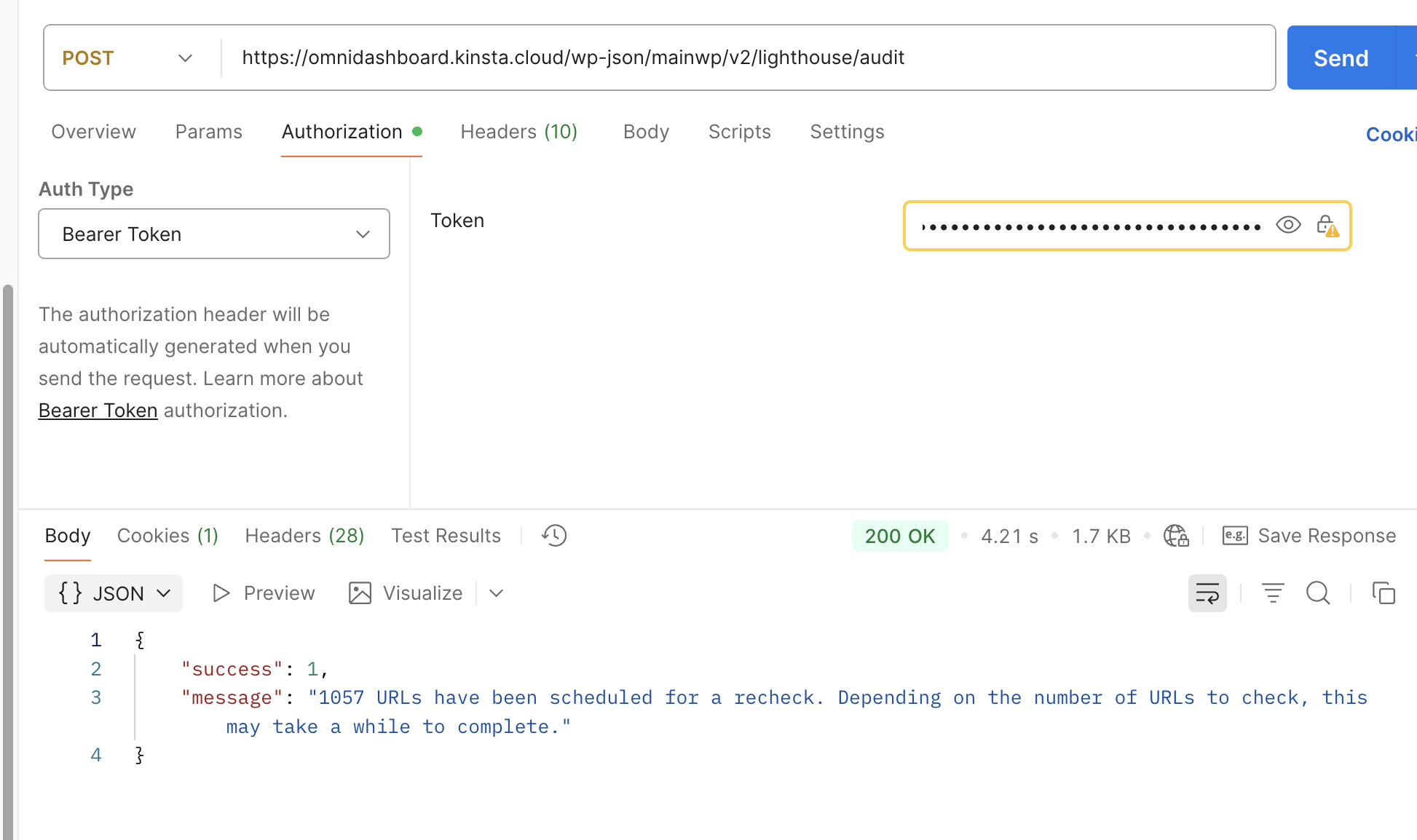
I triggered an “Audit All Sites” command via the MainWP REST API for my network of approximately 900 Child Sites. Since running this API call, the Lighthouse Extension tab in my dashboard shows only a blank white screen.
Troubleshooting Attempted: I increased my server resources to PHP Memory Limit: 2048M and increased PHP threads.
-
Result: The Lighthouse dashboard now loads (the white screen is gone).
-
Current Problem: The dashboard list is incomplete. It does not show all connected sites; a significant number of child sites are missing from the report list entirely.
Could you confirm if the REST API handles bulk audits asynchronously with a queue? Or any suggestion if I need to bulk audits around 900 sites as monthly.
How can I ensure all sites are audited without timing out the server or crashing the dashboard view?
Thank you,
Sandy
Here’s site info:
`
### wp-core ###

version: 6.9
site_language: en_US
user_language: en_US
timezone: Asia/Bangkok
permalink: /%year%/%monthnum%/%day%/%postname%/
https_status: true
multisite: false
user_registration: 0
blog_public: 1
default_comment_status: open
environment_type: production
user_count: 52
dotorg_communication: true

### wp-paths-sizes ###

wordpress_path: /www/omnidashboard_312/public
wordpress_size: 59.12 MB (61997017 bytes)
uploads_path: /www/omnidashboard_312/public/wp-content/uploads
uploads_size: 1.47 GB (1577983366 bytes)
themes_path: /www/omnidashboard_312/public/wp-content/themes
themes_size: 26.35 MB (27624883 bytes)
plugins_path: /www/omnidashboard_312/public/wp-content/plugins
plugins_size: 129.95 MB (136260877 bytes)
fonts_path: /www/omnidashboard_312/public/wp-content/uploads/fonts
fonts_size: directory not found
database_size: 3.20 GB (3438280704 bytes)
total_size: 4.88 GB (5242146847 bytes)

### wp-active-theme ###

name: Twenty Twenty (twentytwenty)
version: 3.0
author: the WordPress team
author_website: https://wordpress.org/
parent_theme: none
theme_features: core-block-patterns, widgets-block-editor, post-thumbnails, automatic-feed-links, custom-background, custom-logo, title-tag, html5, align-wide, responsive-embeds, customize-selective-refresh-widgets, editor-color-palette, editor-font-sizes, editor-styles, widgets, menus, editor-style
theme_path: /www/omnidashboard_312/public/wp-content/themes/twentytwenty
auto_update: Disabled

### wp-themes-inactive (5) ###

Twenty Twenty-Five: version: 1.4, author: the WordPress team, Auto-updates disabled
Twenty Twenty-Four: version: 1.4, author: the WordPress team, Auto-updates disabled
Twenty Twenty-One: version: 2.7, author: the WordPress team, Auto-updates disabled
Twenty Twenty-Three: version: 1.6, author: the WordPress team, Auto-updates disabled
Twenty Twenty-Two: version: 2.1, author: the WordPress team, Auto-updates disabled

### wp-mu-plugins (3) ###

Kinsta Must-use Plugins: version: 3.4.0, author: Kinsta Team
Login Logo: version: 0.7, author: Mark Jaquith
Pronto enable MFA for Pronto users: author: (undefined), version: 1.3.0

### wp-plugins-active (19) ###

Activity Log: version: 2.11.2, author: Activity Log Team, Auto-updates disabled
MainWP Bulk Settings Manager Extension: version: 5.0.4, author: MainWP, Auto-updates disabled
MainWP Code Snippets Extension: version: 5.0.4, author: MainWP, Auto-updates disabled
MainWP Cost Tracker Assistant Extension: version: 5.0.7, author: MainWP, Auto-updates disabled
MainWP Dashboard: version: 5.4.1, author: MainWP, Auto-updates disabled
MainWP Database Updater Extension: version: 5.0.7, author: MainWP, Auto-updates disabled
MainWP Favorites Extension: version: 5.1.3, author: MainWP, Auto-updates disabled
MainWP File Uploader Extension: version: 5.0.2, author: MainWP, Auto-updates disabled
MainWP Google Analytics Extension: version: 5.0.1, author: MainWP, Auto-updates disabled
MainWP Lighthouse Extension: version: 5.1.2, author: MainWP, Auto-updates disabled
MainWP Page Speed Extension: version: 4.0.3, author: MainWP, Auto-updates disabled
MainWP Pro Reports Extension: version: 5.0.10, author: MainWP, Auto-updates disabled
MainWP Sucuri Extension: version: 5.0.3, author: MainWP, Auto-updates disabled
MainWP Team Control: version: 5.0.3, author: MainWP, Auto-updates disabled
Members: version: 3.2.18, author: MemberPress, Auto-updates disabled
Scripts Organizer: version: 3.9.1, author: DPlugins, Auto-updates disabled
Sign In With Google: version: 1.8.2, author: Tanner Record, Auto-updates disabled
Stop User Enumeration: version: 1.7.6, author: Fullworks, Auto-updates disabled
Two Factor: version: 0.14.1, author: WordPress.org Contributors, Auto-updates disabled

### wp-plugins-inactive (2) ###

Advanced Uptime Monitor Extension: version: 5.2.2, author: MainWP, Auto-updates disabled
MainWP Key Maker: version: 1.3, author: MainWP, Auto-updates disabled

### wp-media ###

image_editor: WP_Image_Editor_Imagick
imagick_module_version: 1693
imagemagick_version: ImageMagick 6.9.13-16 Q8 x86_64 8b003df48:20240901 https://legacy.imagemagick.org
imagick_version: 3.7.0
file_uploads: 1
post_max_size: 256M
upload_max_filesize: 256M
max_effective_size: 256 MB
max_file_uploads: 100
imagick_limits:
	imagick::RESOURCETYPE_AREA: 244 MB
	imagick::RESOURCETYPE_DISK: 0
	imagick::RESOURCETYPE_FILE: 768
	imagick::RESOURCETYPE_MAP:
	imagick::RESOURCETYPE_MEMORY: 1 GB
	imagick::RESOURCETYPE_THREAD: 1
	imagick::RESOURCETYPE_TIME: 0
imagemagick_file_formats: 3G2, 3GP, AAI, AI, APNG, ART, AVI, AVIF, AVS, BGR, BGRA, BGRO, BIE, BMP, BMP2, BMP3, BRF, CAL, CALS, CANVAS, CAPTION, CIN, CIP, CLIP, CMYK, CMYKA, CUR, CUT, DATA, DCM, DCX, DDS, DFONT, DPX, DXT1, DXT5, EPDF, EPI, EPS, EPS2, EPS3, EPSF, EPSI, EPT, EPT2, EPT3, FAX, FILE, FITS, FLV, FRACTAL, FTP, FTS, G3, G4, GIF, GIF87, GRADIENT, GRAY, GRAYA, GROUP4, H, HALD, HDR, HEIC, HEIF, HISTOGRAM, HRZ, HTM, HTML, HTTP, HTTPS, ICB, ICO, ICON, INFO, INLINE, IPL, ISOBRL, ISOBRL6, J2C, J2K, JBG, JBIG, JNG, JNX, JP2, JPC, JPE, JPEG, JPG, JPM, JPS, JPT, JSON, LABEL, M2V, M4V, MAC, MAGICK, MAP, MASK, MAT, MATTE, MIFF, MKV, MNG, MONO, MOV, MP4, MPC, MPEG, MPG, MSL, MSVG, MTV, MVG, NULL, OTB, OTF, PAL, PALM, PAM, PANGO, PATTERN, PBM, PCD, PCDS, PCL, PCT, PCX, PDB, PDF, PDFA, PES, PFA, PFB, PFM, PGM, PGX, PICON, PICT, PIX, PJPEG, PLASMA, PNG, PNG00, PNG24, PNG32, PNG48, PNG64, PNG8, PNM, POCKETMOD, PPM, PREVIEW, PS, PS2, PS3, PSB, PSD, PTIF, PWP, RADIAL-GRADIENT, RAS, RGB, RGBA, RGBO, RGF, RLA, RLE, SCR, SCT, SFW, SGI, SHTML, SIX, SIXEL, SPARSE-COLOR, STEGANO, SUN, SVG, SVGZ, TEXT, TGA, THUMBNAIL, TIFF, TIFF64, TILE, TIM, TTC, TTF, TXT, UBRL, UBRL6, UIL, UYVY, VDA, VICAR, VID, VIDEO, VIFF, VIPS, VST, WBMP, WEBM, WEBP, WMV, WPG, X, XBM, XC, XCF, XPM, XPS, XV, XWD, YCbCr, YCbCrA, YUV
image_format_transforms: image/heic → image/jpeg, image/heif → image/jpeg, image/heic-sequence → image/jpeg, image/heif-sequence → image/jpeg
gd_version: 2.3.3
gd_formats: GIF, JPEG, PNG, WebP, BMP, AVIF, XPM
ghostscript_version: unknown

### wp-server ###

server_architecture: Linux 6.8.0-1044-gcp x86_64
httpd_software: nginx/1.29.2
php_version: 8.1.32 64bit
php_sapi: fpm-fcgi
max_input_variables: 20000
time_limit: 1200
memory_limit: 2048M
max_input_time: 1200
upload_max_filesize: 256M
php_post_max_size: 256M
curl_version: 8.5.0 OpenSSL/3.0.13
suhosin: false
imagick_availability: true
pretty_permalinks: true
static_robotstxt_file: false
current: 2025-12-11T05:31:20+00:00
utc-time: Thursday, 11-Dec-25 05:31:20 UTC
server-time: 2025-12-11T12:31:17+07:00

### wp-database ###

extension: mysqli
server_version: 11.4.7-MariaDB-ubu2404
client_version: mysqlnd 8.1.32
max_allowed_packet: 33554432
max_connections: 20

### wp-constants ###

WP_HOME: undefined
WP_SITEURL: undefined
WP_CONTENT_DIR: /www/omnidashboard_312/public/wp-content
WP_PLUGIN_DIR: /www/omnidashboard_312/public/wp-content/plugins
WP_MEMORY_LIMIT: 1024M
WP_MAX_MEMORY_LIMIT: 2048M
WP_DEBUG: false
WP_DEBUG_DISPLAY: true
WP_DEBUG_LOG: false
SCRIPT_DEBUG: false
WP_CACHE: false
CONCATENATE_SCRIPTS: undefined
COMPRESS_SCRIPTS: undefined
COMPRESS_CSS: undefined
WP_ENVIRONMENT_TYPE: undefined
WP_DEVELOPMENT_MODE: undefined
DB_CHARSET: utf8
DB_COLLATE: undefined

### wp-filesystem ###

wordpress: writable
wp-content: writable
uploads: writable
plugins: writable
themes: writable
fonts: does not exist
mu-plugins: writable

`