I’m currently working on designing an automated update workflow for child sites using the MainWP REST API, and I’ve run into an issue with the updates endpoint.
I’m using the following endpoint to trigger plugin updates on a child site:
POST /wp-json/mainwp/v2/updates/<child_site_id>/update/
This endpoint works correctly and successfully triggers the update on the child site.
However, when I check the update status afterward using:
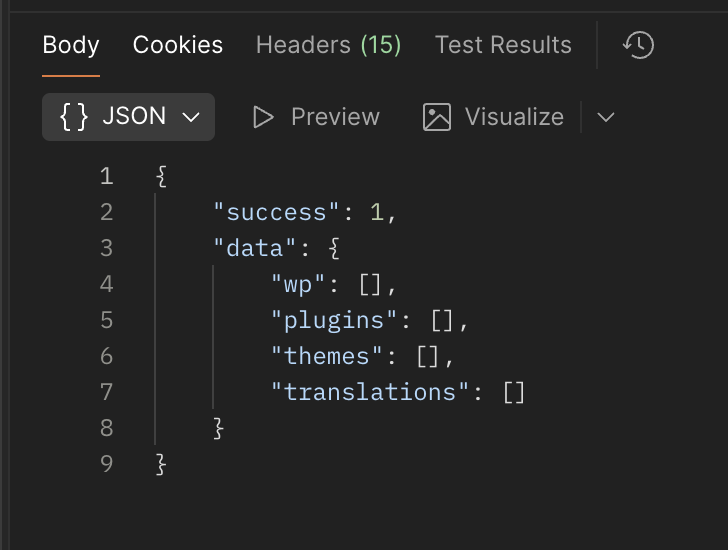
GET /wp-json/mainwp/v2/updates/<child_site_id>/
It still returns the same plugins as needing updates, even though the plugins have already been updated on the child site via the API.
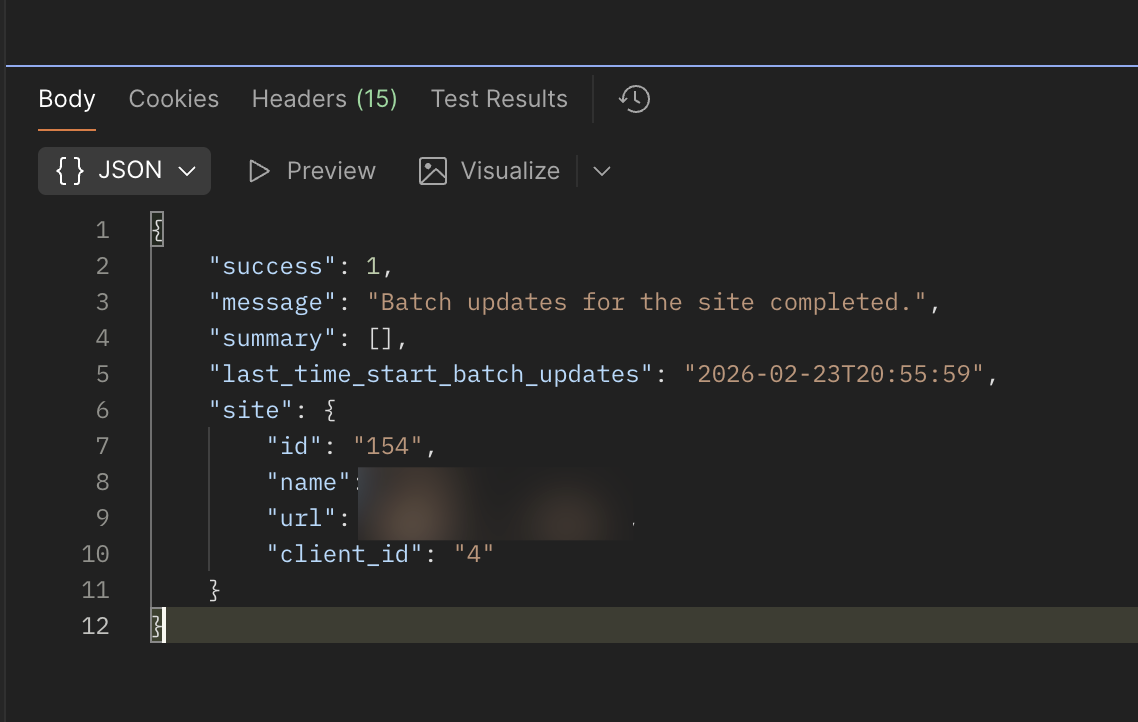
I also tried calling the sync endpoint to refresh the child site data, but the updates endpoint still returns outdated plugin update information.
POST /wp-json/mainwp/v2/sites/<child_site_id>/sync/
Could you please advise:
Is there an additional step required to refresh or sync update data after triggering updates via the API?
Is this expected behavior, or could it be a caching or sync delay issue?
Or is there another recommended workflow for managing updates via the MainWP REST API?
Thank you for checking. Please see my responses below:
Yes, on the child site’s WordPress admin page, it correctly shows which plugins have been updated and which plugins are still pending updates.
Yes, after calling the “Sync” REST API endpoint, the data displayed in the MainWP dashboard UI updates correctly.
Yes, if I run the sync directly from the MainWP dashboard UI, the data is also refreshed and displayed correctly.
Based on my investigation and testing, the MainWP dashboard itself does not have any issues. After triggering updates via the API or directly from the dashboard, the dashboard UI reflects the correct update status.
The issue appears to occur only with the API response. When I call either the sync or get updates API endpoints after triggering an update via the API, the response still returns the same update data as before the update was performed. In other words, the API response does not reflect the latest update state, even though the child site and dashboard UI show the correct status.
Please let me know if you need any additional details.
If these are the steps you are taking and it’s still misbehaving, please open a private Help Desk ticket and we will gladly look into this: https://mainwp.com/my-account/get-support/
I also followed the same steps you shared. After calling the “trigger update” endpoint, I then called the “get plugin updates” endpoint again, but the result still showed the same plugins as needing updates.
However, when I call the “sync site” endpoint after “trigger update”, and then call the “get plugin updates” endpoint, the result is updated correctly and reflects the plugins that have already been updated.
If these flow I think it works on my ends, I’ll reach out to you again if I found other issues.
Thanks again for help,
Sandy
WordPress® is a registered trademark of the WordPress Foundation, and WooCommerce® is a registered trademark of WooCommerce, Inc. MainWP is an independent product and is not affiliated, associated, or endorsed by the WordPress Foundation, WooCommerce, Inc., or Automattic Inc., except where noted under the Jetpack® API and Trademark License Agreement. All product names, logos, and brands are property of their respective owners and are used for identification purposes only.
 This endpoint works correctly and successfully triggers the update on the child site.
 It still returns the same plugins as needing updates, even though the plugins have already been updated on the child site via the API.