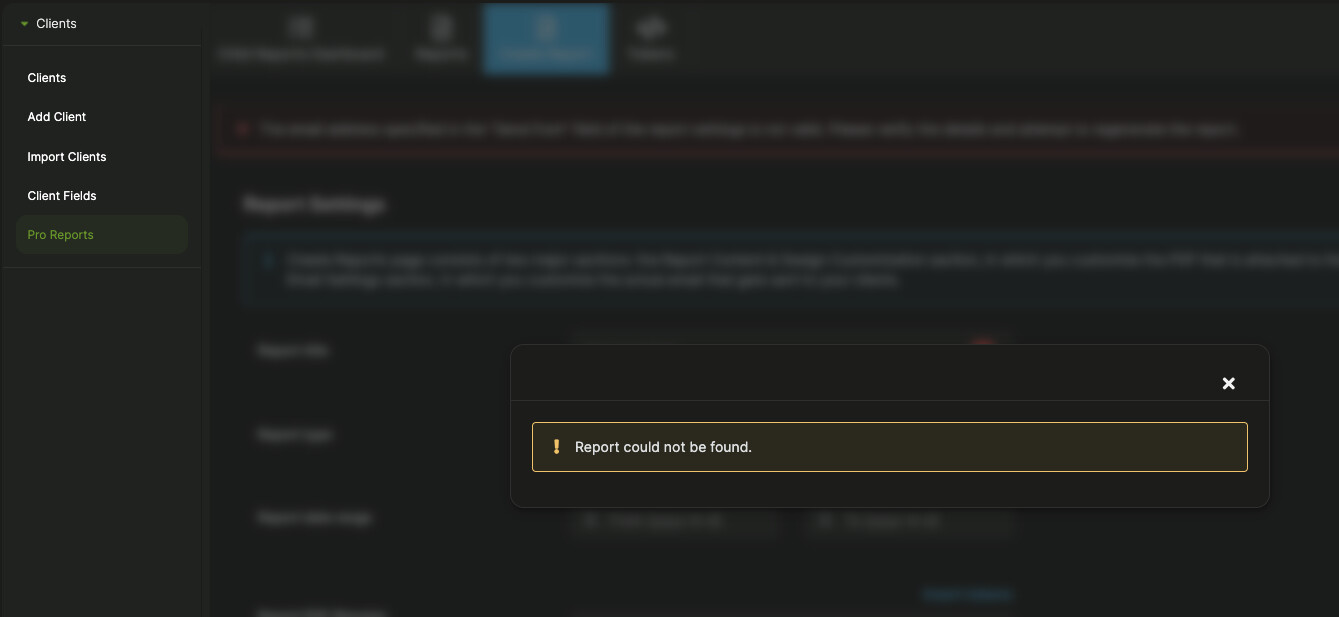
When I try to save the reports in PDF format, it shows the following error message: “Report could not be found.” I have been saving the reports the same way for years, and over the past week I have been getting this error every time.
Hey @RevinDigital
Welcome to the MainWP community!
You’re seeing that error message when you click the “Download PDF” button?
Can you please share a screenshot?
And can you please post the community system report from your MainWP Dashboard for review? The report is located in your Dashboard under Info → Server (your-mainwp-dashboard.com/wp-admin/admin.php?page=ServerInformation), on the top right of the page.
Be sure to use the button like the one below; this button hides all your private information:

Pressing the button auto-copies the report to your clipboard then just paste it in a reply here.
I’m suddenly having the same issue. I only have one report created, and I manually change the dates and filename each month (as opposed to creating a new report in MainWP). When attempting this today, the downloaded file refused to update to reflect my new date range and filename. It gives me a PDF with last month’s info regardless of what range I select.
As a workaround, I tried creating a new report with the same settings. When I attempt to download from the newly created report, I get the error mentioned above (screenshot and system report below).
It’s worth noting that I don’t have an SSL cert installed, and the detected cURL timeout is low, but this has been the case for a long time with no issues.
Any help would be appreciated ~Thanks
Hey @coreyffc
Welcome to the MainWP community!
These shouldn’t be affecting this behavior.
However, I am unable to reproduce it on my test Dashboards.
Please open a private Help Desk ticket and we will gladly look into this: https://mainwp.com/my-account/get-support/