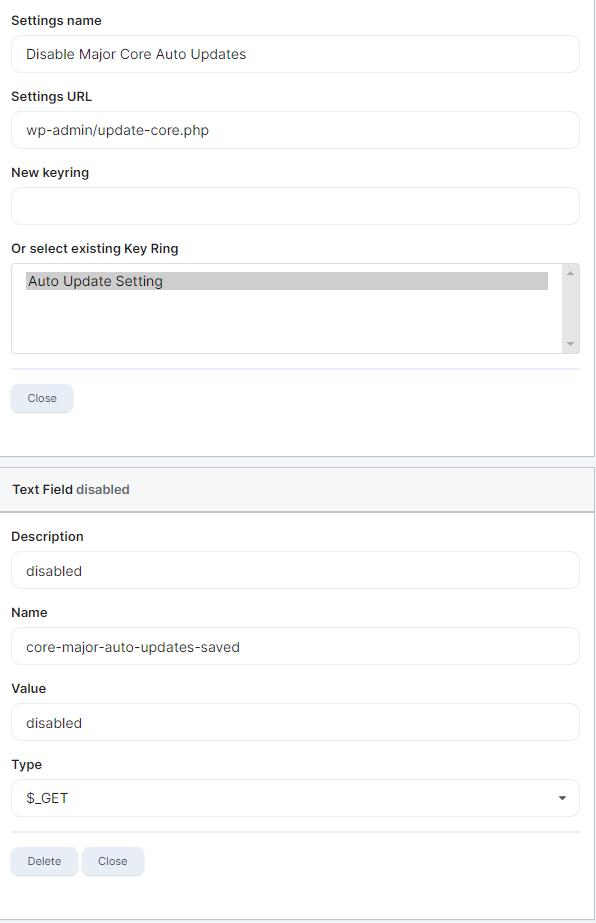
I created a site key with site A.
Applied the key to site B.
Now, when I try to log on to the admin of site B it logs on to the admin of site A - this happens whether trying to log on to the site manually (siteB/wp-admin) or through the MainWP SSO button.
Yes, I was on the Child Site’s General Settings (/wp-admin/options-general.php), but the only setting I had changed, before making the key, was the WP core auto-update setting.
If I am correct (it appears that I am not) the documentation and videos (8 years old) show that only the settings you change are recorded in the key you make - - I just looked at the key again and it appears to be correct with ONLY the disabling of the core-major-auto-updates
In it, we specifically mention that Boilerplate tokens are necessary to avoid overwriting WordPress Address (URL) and Site Address (URL).
An easy way to fix those two values and get your site back in action is to edit the database table.
WordPress® is a registered trademark of the WordPress Foundation, and WooCommerce® is a registered trademark of WooCommerce, Inc. MainWP is an independent product and is not affiliated, associated, or endorsed by the WordPress Foundation, WooCommerce, Inc., or Automattic Inc., except where noted under the Jetpack® API and Trademark License Agreement. All product names, logos, and brands are property of their respective owners and are used for identification purposes only.