Update to MainWP V6 completely crashed our server

Hello,

This morning, I tried to update MainWP and I had only one plugin to update, nothing else which was to version 6.0 and it completely crashed our server. Now site is unresponsive… Going to restore from backup.

Here is what I have in the log:
[25-Feb-2026 13:19:08 UTC] WordPress database error Can’t DROP ‘meta_log_id_key’; check that column/key exists for query ALTER TABLE wp_mainwp_wp_logs_meta DROP INDEX meta_log_id_key, DROP INDEX meta_key made by require(‘wp-blog-header.php’), require_once(‘wp-load.php’), require_once(‘wp-config.php’), require_once(‘wp-settings.php’), do_action(‘plugins_loaded’), WP_Hook->do_action, WP_Hook->apply_filters, MainWP\Dashboard\Module\Log\MainWP_Module_Log->plugins_loaded, MainWP\Dashboard\Module\Log\Log_Install->install, MainWP\Dashboard\Module\Log\Log_Install->update_log_db_60_before_dbDelta
Hope it helps and not going to update MainWP for the next 4 weeks!

Hey @wpexpert

We haven’t received other reports for this issue, and we believe it’s an isolated case.

Can you please navigate to the Network Activity page (wp-admin/admin.php?page=InsightsManage), and let us know how many entries in total you have? You can see the count at the bottom left of the table.

On what type of host is the Dashboard hosted? Is it a dedicated server or a shared host?

Finally, can you please post the community system report from your MainWP Dashboard for review? The report is located in your Dashboard under Info → Server (your-mainwp-dashboard.com/wp-admin/admin.php?page=ServerInformation), on the top right of the page.

Be sure to use the button like the one below; this button hides all your private information:

image

Pressing the button auto-copies the report to your clipboard then just paste it in a reply here.

1 Like

Hey @bojan,

The site crashed completely so I was unable to check the network activity but, discovered that a process was stuck and CPU at 100% so, killed it. Then, I tried again v6 and this time, it worked. Very strange! Maybe unique to our set up as nobody else reported it. You can close this ticket.

1 Like

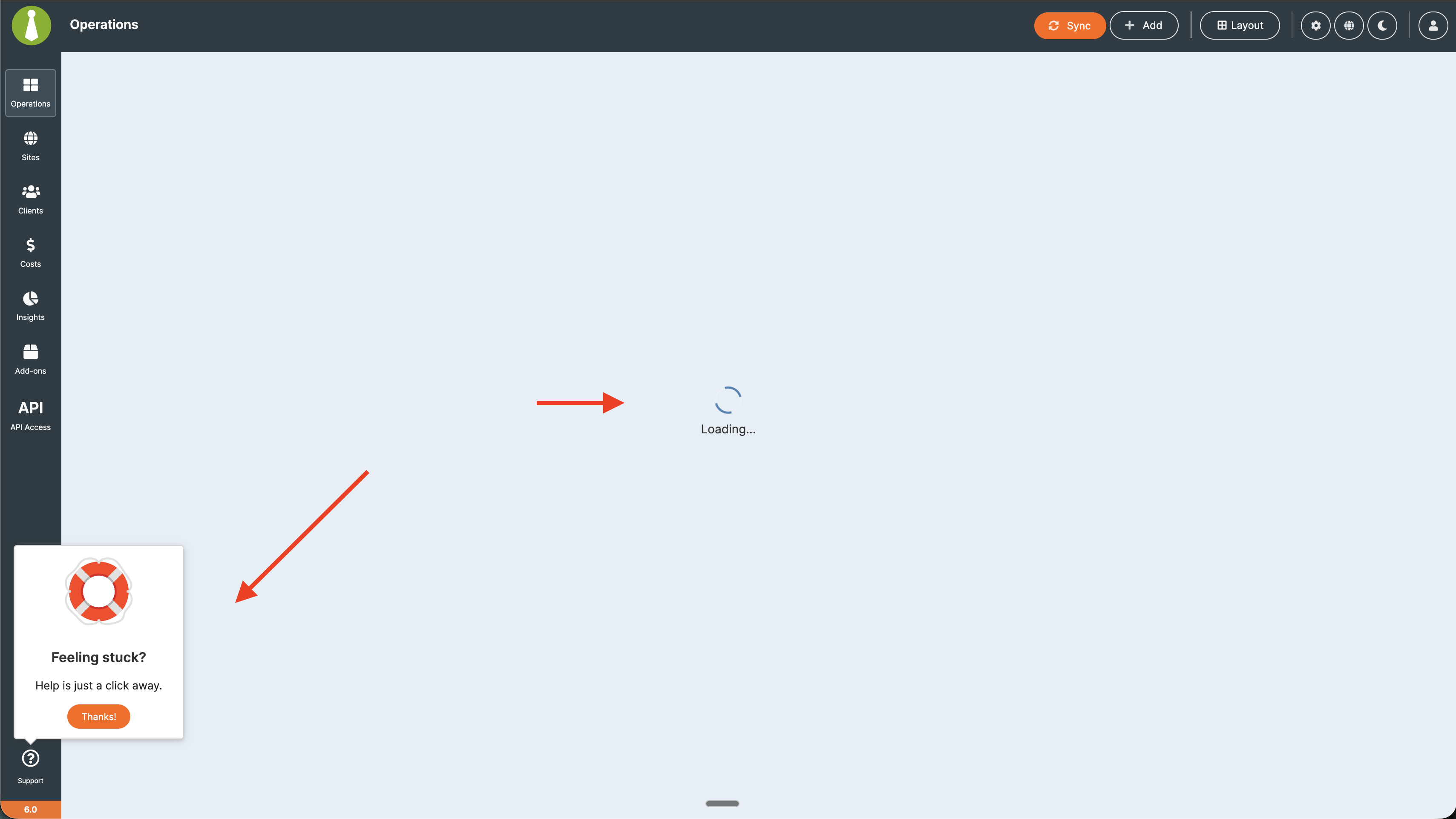
Spoke too fast! Now the dashboard doesn’t load and the support popup displays all the time!

Definitely something wrong, reversing back to previous version…

Hi @wpexpert

In that case, let’s please go back to my previous questions.

1/

Can you please navigate to the Network Activity page (wp-admin/admin.php?page=InsightsManage), and let us know how many entries in total you have? You can see the count at the bottom left of the table.

2/

On what type of host is the Dashboard hosted? Is it a dedicated server or a shared host?

3/

Finally, can you please post the community system report from your MainWP Dashboard for review? The report is located in your Dashboard under Info → Server (your-mainwp-dashboard.com/wp-admin/admin.php?page=ServerInformation), on the top right of the page.

Be sure to use the button like the one below; this button hides all your private information:

image

Pressing the button auto-copies the report to your clipboard then just paste it in a reply here.

4/

And one new question - are you seing any MainWP-related errors in the browser dev console?

Got this error message: The Network Activity database size is too large (301.85 MB). Go to MainWP Settings > Tool > “Delete archived Network Activity data” to delete records if needed.
We have a dedicated server with 2CPU and 2Gb with over 220 websites connected and never had any issues with 5.6.
No error in the DEV console and dashboard appears after 30s or so.
I am going to clean as recommended above.

1 Like

The tool to clean up network activities doesn’t seems to work as the message is coming back all the time.

Here is the report:

WordPress Check Required Detected

FileSystem Method = direct direct Pass
MultiSite Disabled =true true Pass
WordPress Memory Limit >=64M 40M Warning
WordPress Version >=6.2 6.9.1 Pass

PHP Required Detected

cURL Extension Enabled =true true Pass
cURL Timeout >=300 seconds 400 Pass
cURL Version >=7.29.0 8.14.1 Pass
Function `tmpfile` enabled N/A Enabled Pass
OpenSSL Version >=OpenSSL/1.1.0 OpenSSL/1.1.1w Pass
OpenSSL Working Status Yes Yes Pass
PCRE Backtracking Limit >=10000 1000000 Pass
PHP Allow URL fopen N/A YES
PHP Disabled Functions N/A No functions disabled.
PHP Exif Support N/A YES
PHP IPTC Support N/A YES
PHP Loaded Extensions N/A Core, PDO, PDO_ODBC, Phar, Reflection, SPL, SimpleXML, bcmath, bz2, calendar, ctype, curl, date, dba, dom, enchant, exif, fileinfo, filter, ftp, gd, gettext, hash, iconv, imap, intl, ionCube Loader, json, ldap, libxml, litespeed, mbstring, mcrypt, mysqli, mysqlnd, odbc, openssl, pcntl, pcre, pdo_mysql, pdo_pgsql, pdo_sqlite, pgsql, posix, pspell, readline, session, shmop, snmp, soap, sockets, sqlite3, standard, sysvmsg, sysvsem, sysvshm, tidy, timezonedb, tokenizer, xml, xmlreader, xmlwriter, xsl, zip, zlib
PHP Max Execution Time >=30 seconds 300 Pass
PHP Max Input Time >=30 seconds 600 Pass
PHP Memory Limit >=256M 2048M Pass
PHP Post Max Size >=2M 64M Pass
PHP Safe Mode Disabled =true true Pass
PHP Session enabled N/A Enabled Pass
PHP Upload Max Filesize >=2M 64M Pass
PHP Version >=7.4 8.1.32 Pass
PHP XML Support N/A YES
SSL Extension Enabled =true true Pass
SSL Warnings = empty Pass

MySQL Required Detected

MySQL Client Encoding N/A utf8
MySQL Mode N/A NOT SET
MySQL Version >=5.0 10.0.38-MariaDB Pass

Server Configuration Detected Value

Accept Content text/html,application/xhtml+xml,application/xml;q=0.9,image/avif,image/webp,image/apng,*/*;q=0.8
Accept-Charset Content N/A
Architecture 64 bit
Gateway Interface
HTTPS ON
Memory Usage 77.48 MB
Operating System Linux
Request Time 1772052187
Server Protocol HTTP/1.1
Server self connect Not expected HTTP response body:
Server Software LiteSpeed
User Agent Mozilla/5.0 (Macintosh; Intel Mac OS X 10_15_7) AppleWebKit/537.36 (KHTML, like Gecko) Chrome/145.0.0.0 Safari/537.36

MainWP Dashboard Settings

Abandoned plugins/themes tolerance 730
Cache control enabled Yes
Enable Uptime Monitoring NoIndividual uptime monitoring is running
MainWP Dashboard Version Latest: 6.0 | Detected: 6.0 Pass
MainWP legacy backups enabled No
Maximum number of pages to return 50
Maximum number of posts to return
Maximum simultaneous install and update requests6
Maximum simultaneous requests 12
Maximum simultaneous requests per ip4
Maximum simultaneous sync requests 16
Maximum simultaneous uptime monitoring requests (Default: 10)10
Minimum delay between requests 200
Minimum delay between requests to the same ip1000
Number of connected sites 227
Optimize data loading Yes
Plugin advanced automatic updates enabledYes
Primary Backup System MainWP UpdraftPlus Extension
REST API enabled Yes
Site health monitoring enabled Yes
Theme advanced automatic updates enabledYes
Use WP Cron Yes
WP Core advanced automatic updates enabledYes

Extensions Version License

MainWP Bulk Settings Manager Extension5.0.4 Active Pass
MainWP Cache Control Extension 5.0.4 Active Pass
MainWP Code Snippets Extension 5.0.4 Active Pass
MainWP Custom Dashboard Extension 5.0.1 Active Pass
MainWP Database Updater Extension 5.0.7 Active Pass
MainWP Favorites Extension 5.3 Active Pass
MainWP Lighthouse Extension 5.2 Active Pass
MainWP Maintenance Extension 5.0 Active Pass
MainWP Pro Reports Extension 5.0.10 Active Pass
MainWP Sucuri Extension 5.0.3 Active Pass
MainWP Team Control 5.0.3 Active Pass
MainWP UpdraftPlus Extension 5.0.2 Active Pass
MainWP Vulnerability Checker Extension5.0.4 Active Pass
MainWP White Label Extension 5.0.2 Active Pass
WP Expert MainWP Plugin 1.4

Plugin Version

Disable Comments 2.6.2 Active
FluentAuth - Auth Security Plugin 2.1.1 Active
FluentSMTP 2.2.95 Active
MainWP Customisations 1.0 Active
MainWP Dashboard 6.0 Active
MainWP Manual Trigger Test Cron Jobs Active
Two Factor 0.15.0 Active
UpdraftPlus - Backup/Restore 2.26.1.26 Active
WP Expert MainWP Plugin 1.4 Active
WPS Hide Login 1.9.18 Active

I had the same issue and was forced to roll back to the previous version

Hey all,

We’ve just released v6.0.1 of MainWP Dashboard that includes a fix for this issue.

Please update and let us know if that resolves the issue for you.

Note that since you already experienced the DB error on a previous upgrade, you may first need to downgrade to 5.4.1.1. (https://downloads.wordpress.org/plugin/mainwp.5.4.1.1.zip) and then update to v6.0.1.

Thanks but now, MainWP Child broke one of our site. Here is the error log:
Error Details

An error of type E_ERROR was caused in line 217 of the file /home/sitename/public_html/wp-content/plugins/mainwp-child/modules/changes-logs/classes/class-changes-handle-wp-database.php. Error message: Uncaught Error: Call to undefined function mb_strpos() in /home/goodstory/public_html/wp-content/plugins/mainwp-child/modules/changes-logs/classes/class-changes-handle-wp-database.php:217
Stack trace:
#0 /home/sitename/public_html/wp-content/plugins/mainwp-child/modules/changes-logs/classes/class-changes-handle-wp-database.php(170): MainWP\Child\Changes\Changes_Handle_WP_Database::change_contains_wp_table()
#1 /home/sitename/public_html/wp-content/plugins/mainwp-child/modules/changes-logs/classes/class-changes-handle-wp-database.php(487): MainWP\Child\Changes\Changes_Handle_WP_Database::change_get_client_runner()
#2 /home/sitename/public_html/wp-content/plugins/mainwp-child/modules/changes-logs/classes/class-changes-handle-wp-database.php(400): MainWP\Child\Changes\Changes_Handle_WP_Database::if_table_change_log_enabled()
#3 /home/sitename/public_html/wp-includes/class-wp-hook.php(341): MainWP\Child\Changes\Changes_Handle_WP_Database::callback_change_db_delta_query()

Site was down completely, we had to rename MainWP plugin to have the website back online!

Hi @bojan,
Yesterday morning, when I upgraded to version 6.0, I got exactly the same database error.
But that didn’t cause my dashboard to crash.

WordPress database error Can't DROP INDEX `meta_log_id_key`; check that it exists for query ALTER TABLE XXXX_mainwp_wp_logs_meta DROP INDEX meta_log_id_key, DROP INDEX meta_key made by require_once('wp-admin/admin.php'), require_once('wp-load.php'), require_once('wp-config.php'), require_once('wp-settings.php'), do_action('plugins_loaded'), WP_Hook->do_action, WP_Hook->apply_filters, MainWP\Dashboard\Module\Log\MainWP_Module_Log->plugins_loaded, MainWP\Dashboard\Module\Log\Log_Install->install, MainWP\Dashboard\Module\Log\Log_Install->update_log_db_60_before_dbDelta

Yesterday afternoon, I saw your 6.0.1 patch and installed it.
I don’t have any problems on my end.
But I didn’t respect the steps you mentionned (downgrade before the update).
Should I roll back to reinstall version 6.0.1 ?

hey @wpexpert

Based on the error log, it seems that the function mb_strpos()is disabled on that site.

I’ve now DM’d you a version of the Child plugin with that dependency removed. Let me know if that version resolves the issue.

Hi @nicolas

Yes, please try downgrading to v5.4.1.1 of the Dashboard (https://downloads.wordpress.org/plugin/mainwp.5.4.1.1.zip) and then install v6.0.1 and let us know if that resolves the issue for you.

Not a MainWP Child plugin but MainWP dashboard!

@bojan

Done the downgrade to v5.4.1.1 and then the upgrade to v6.0.1.
Nothing in my PHP logs :wink:

1 Like

Hi all,

The issue related to WordPress database error Can’t DROP ‘meta_log_id_key’; that was causing crashes, which have been fixed and released in v6.0.1.

Confirmations of the fix were received from multiple users. Therefore, we are considering this resolved.

For any other issues, please open a new topic.

Thank you all for reporting this to us.