I’ve purchased the Custom Dashboard extension and I’m having a little bit of trouble.
So far, I’ve added a few of the example features located here. but I want to include some features of my own as well.
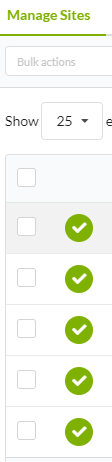
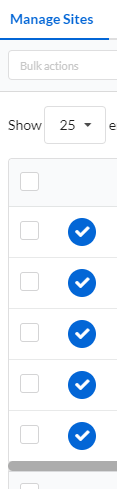
I want to change the active selection in the MainWP horizontal menu at the top of the page to a blue color (#0366d6) and change the green checkmarks to the same color. The problem is, I have no idea how to change this.
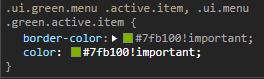
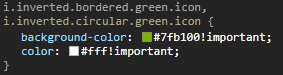
I’ve used my Inspect Element tool in my browser to make a mockup of what I’m looking for, but of course, this tool does not keep any changes that are made. My inspect tool is showing me the classes used, but no matter what I add to custom CSS, nothing changes.
@jmyrtle This would be your best bet at knocking out most if not all of the green to your Brands color as @bogdan is suggesting, rather then trying to over ride them one by one.
@jmyrtle Glad you found the correct tags to target.
WordPress® is a registered trademark of the WordPress Foundation, and WooCommerce® is a registered trademark of WooCommerce, Inc. MainWP is an independent product and is not affiliated, associated, or endorsed by the WordPress Foundation, WooCommerce, Inc., or Automattic Inc., except where noted under the Jetpack® API and Trademark License Agreement. All product names, logos, and brands are property of their respective owners and are used for identification purposes only.